

To get the current time as a formula, use =NOW()-TRUNC(NOW()). NOW returns the date and time together — the whole number is the date and the decimal is the time — so TRUNC strips off the decimal to leave just the date, and subtracting that leaves just the time. =MOD(NOW(),1) does the same thing more briefly.
Format the result cell as Time (Ctrl+1), or you’ll see a decimal like 0.4375. If you don’t need the time in a separate cell, =NOW() on its own works too — just format it as h:mm AM/PM to hide the date part.
For a static timestamp that doesn’t move, skip the formula and press Ctrl+Shift+; which types the current time as a fixed value (Ctrl+; does the same for the date). That distinction matters: NOW is volatile and updates every time the sheet recalculates, so it’s the wrong tool for stamping when something happened.
To get the current time in Excel using a formula, you need to use Excel’s NOW Function with the TRUNC function. With these two functions, you can get the current time in a cell. But, you need to understand that NOW is a volatile function that updates itself whenever your sheet gets updated.

Formula to Get the Current Time in Excel
You can use the following steps:
- First, in a cell enter the NOW function (in now you don’t need to specify an argument).
- Next, enter the minus operator.
- Now, enter the TRUNC function.
- After that, within the TRUNC enter the NOW function.
- In the end, close the TRUNC function and hit enter to get the result.

=NOW()-TRUNC(NOW())How this Formula Works
Excel stores a date as an integer and time as a decimal value. Now when you enter the NOW function in a cell it returns the current date and time.
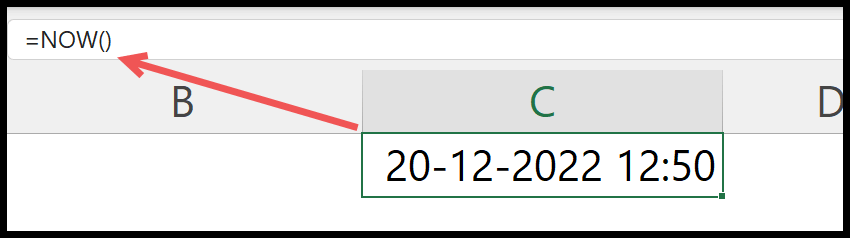
But, to understand this formula, you need to break it into two parts.
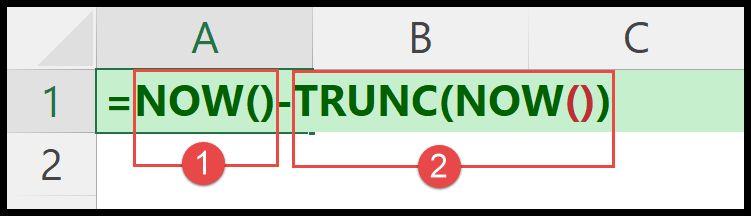
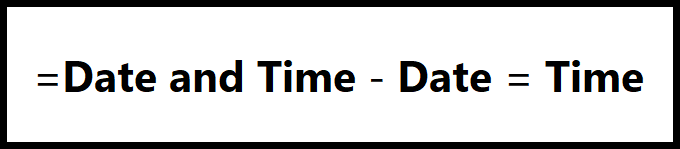
In the first part, we have the NOW function that returns the current date and time (date in integer and time in decimals).
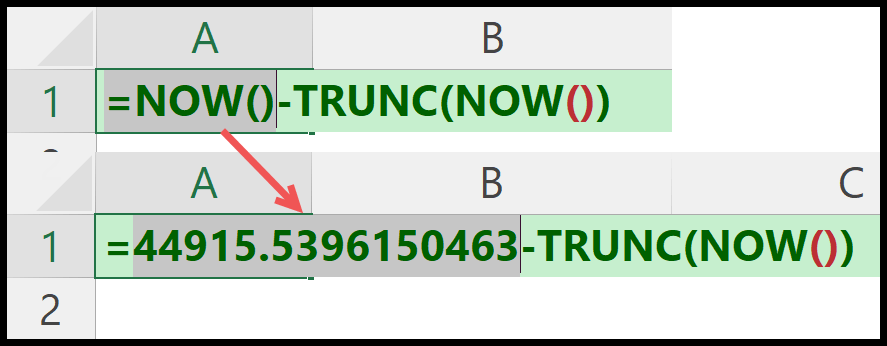
In the second part, we again have the NOW function but wrapped in TRUNC. TRUNC function removes the integer part from the values returned by the NOW.
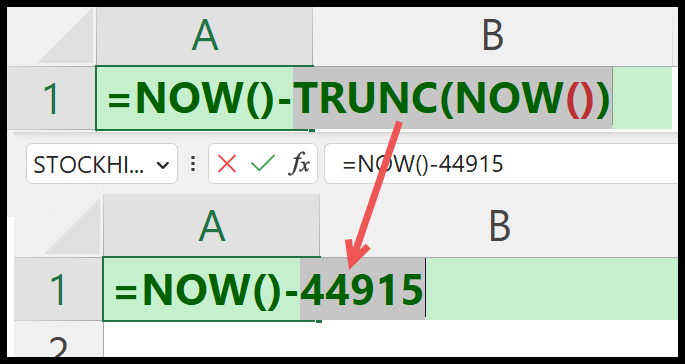
From the result of the first part, you have the date and time both. And from the result of the second part, you only have the date. And that’s why you get only time in the result when you minus second from the first.
Important Points
- NOW is a volatile function, and it will change when you update anything in your worksheet. You can also convert the formula into the value by using copy and paste special.
- NOW shows you time according to the time that you are in your system.
Written by
Puneet Gogia
Microsoft MVP — Excel · Founder, Excel Champs
Twelve years of teaching Excel, and a decade before that using it as a data analyst. Every tutorial here is written from a file I actually built.