

To find the lowest number in a list, =MIN(A1:A8) is the direct answer. Use =SMALL(A1:A8,1) when you want the option to change position — the second argument is which lowest you want, so =SMALL(A1:A8,3) returns the third smallest.
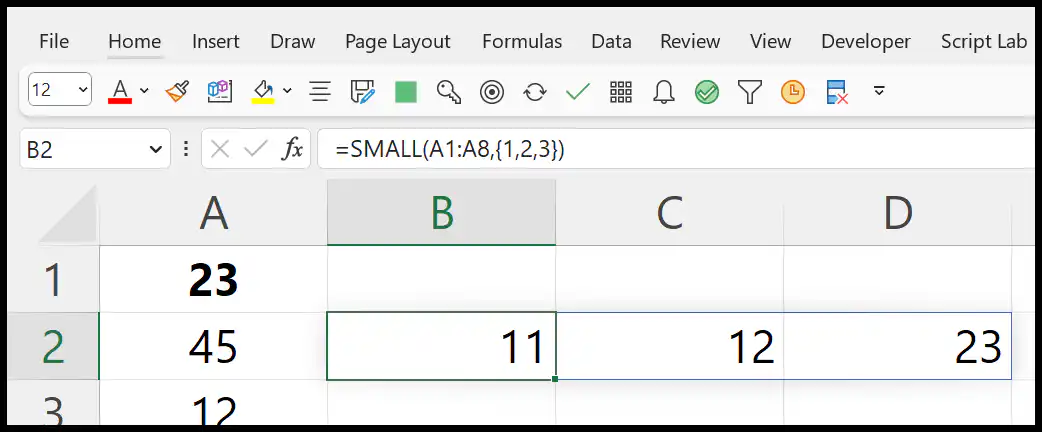
To pull several at once, feed it an array: =SMALL(A1:A8,{1,2,3}) spills the three lowest into three cells in Excel 365, or enter it in three cells individually on older versions. To get them in one cell as a list, wrap it in TEXTJOIN: =TEXTJOIN(", ",TRUE,SMALL(A1:A8,{1,2,3})).
For the lowest value meeting a condition, use =MINIFS(B2:B12,A2:A12,"North"), and to exclude zeros, =MINIFS(A1:A8,A1:A8,"<>0"). SMALL returns #NUM! if k is larger than the count of numbers in the range, or if the range holds no numbers at all.
In Excel, to find the lowest values from a list of numbers, you need to use the SMALL function. With this function, you can’t only get the smallest but the 2nd, 3rd, 4th, or even Kth smallest values from the list.
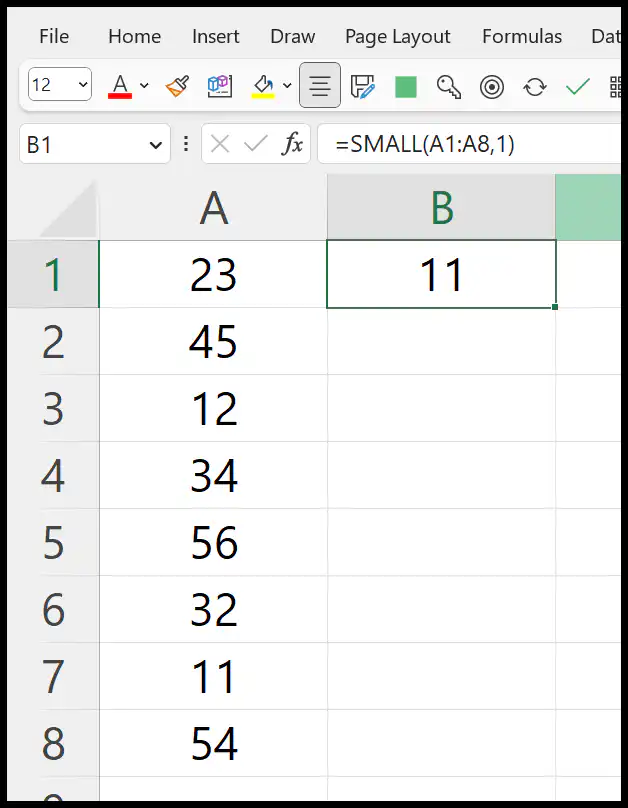
In this tutorial, we will learn to write a formula by using this function.
Excel Formula to Get the Lowest Number
You can use the below steps:
- First, in a cell enter the SMALL function.
- After that, in the first argument (array), refer to the range where you have the list of numbers.
- Next, in the second argument (k), enter 1 as you need to get the 1st lowest number from the list.
- In the end, hit enter to get the result.
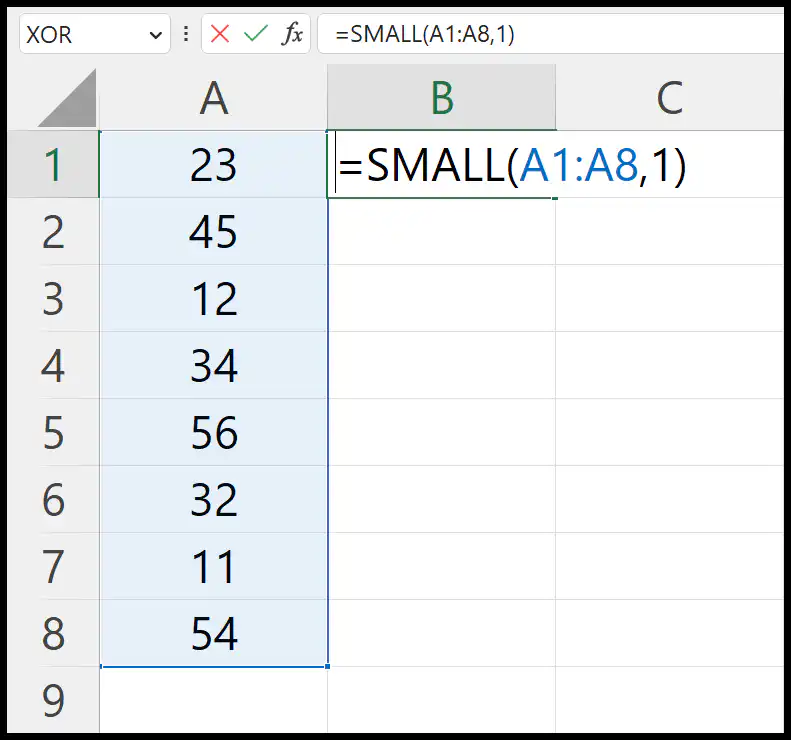
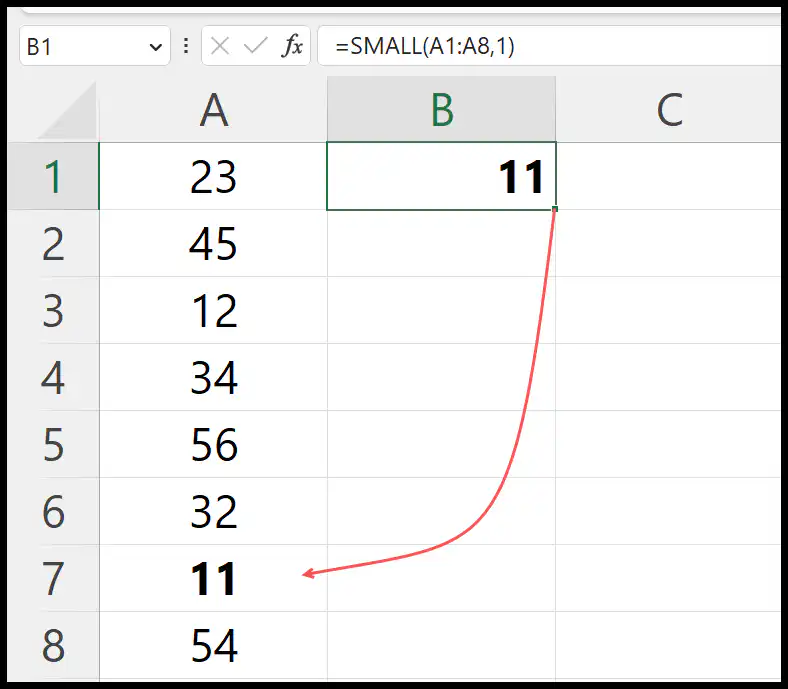
Once you hit enter, it returns 11 in the result which is the lowest number in the range.
Find Nth Lowest Values from a List of Numbers
And if you want to get the nth smallest value from the same list, you just need to change the value in the second argument (k) in the function. Let’s say you want to get the 3rd smallest value, the formula would be:
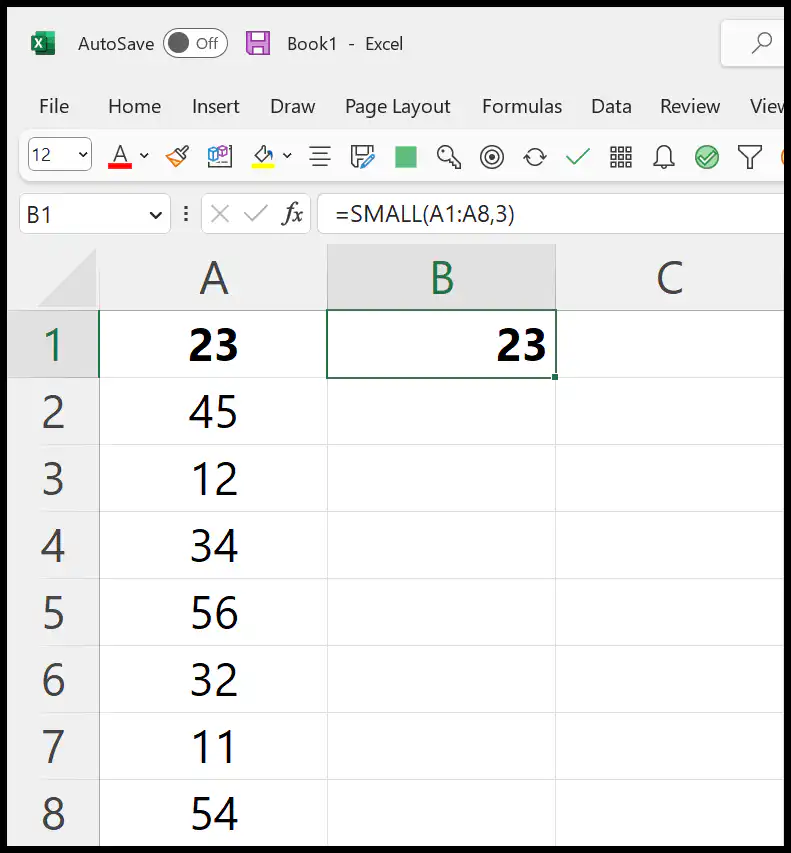
It returns 23 which is the 3rd lowest number in the list.
Find the Lowest 3 Values
Now let’s say, you need to get the lowest three values in the single cell. For this, you need to combine the TEXTJOIN function with the SMALL. Just like the below example:
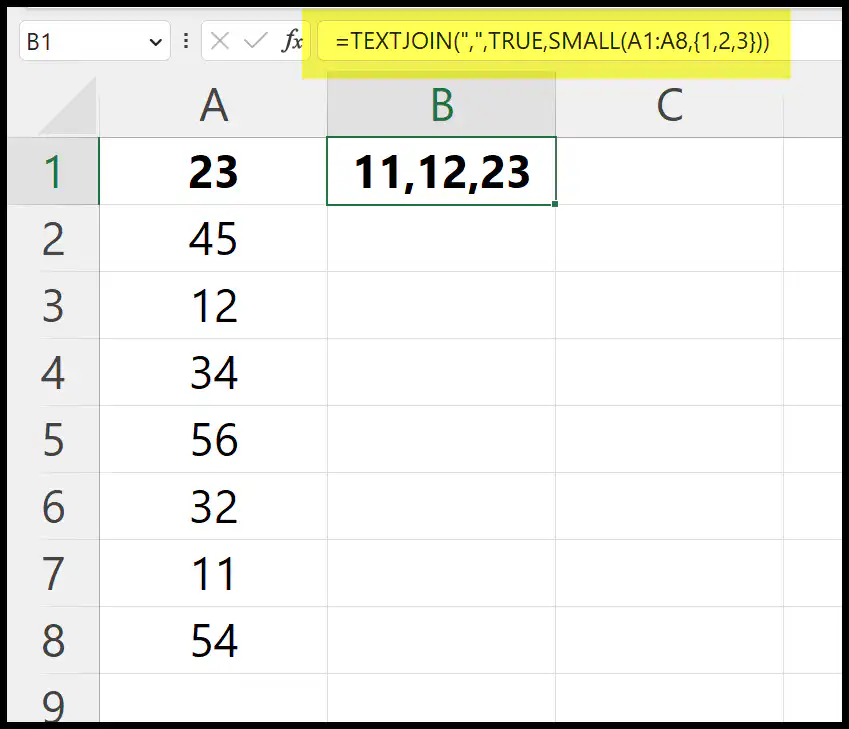
In the SMALL function, we have used {1,2,3} in the k argument of SMALL to get the 3 lowest values from the list.
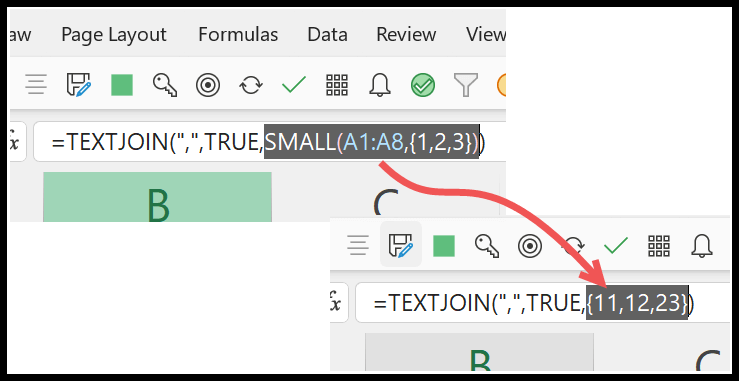
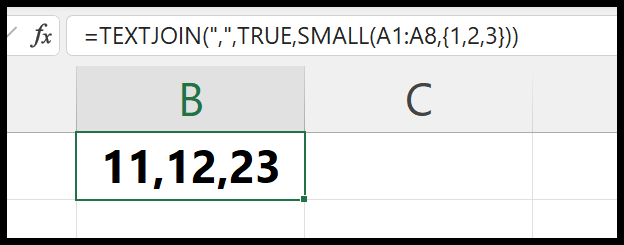
It returns 11,12, and 23 as these are the 3 lowest numbers in the list. Now, you need to have these three numbers in a single cell. That’s why you need to use TEXTJOIN.
And if you want to get the three values in three different cells, you can skip using TEXTJOIN.
Written by
Puneet Gogia
Microsoft MVP — Excel · Founder, Excel Champs
Twelve years of teaching Excel, and a decade before that using it as a data analyst. Every tutorial here is written from a file I actually built.