

Loop through the open workbooks and compare names. StrComp with vbTextCompare ignores upper and lower case:
Function IsWorkbookOpen(fileName As String) As Boolean
    Dim wb As Workbook
    For Each wb In Workbooks
        If StrComp(wb.Name, fileName, vbTextCompare) = 0 Then
            IsWorkbookOpen = True
            Exit Function
        End If
    Next wb
End Function
Call it with the full file name, including the extension: If IsWorkbookOpen("Sales.xlsx") Then Workbooks("Sales.xlsx").Activate. Without the extension, the names don’t match and the function returns False.
It checks only the copy of Excel the code is running in. A workbook opened in a separately started Excel window, or by another user on a shared drive, won’t show up. To find out whether a file is in use by anyone, try to open it for exclusive access:
Function IsFileInUse(filePath As String) As Boolean
    Dim f As Integer
    f = FreeFile
    On Error Resume Next
    Open filePath For Binary Access Read Write Lock Read Write As #f
    IsFileInUse = (Err.Number <> 0)
    Close #f
    On Error GoTo 0
End Function
Check that the file exists with Dir before calling it, because opening a missing file this way creates an empty one.
To check if a workbook is open using a VBA code, you need to use FOR EACH loop that can loop through all the workbooks that are open at the moment and verify each workbook’s name with the name you have mentioned. You can use a message box to get the result of the loop. Or you can also make the code to enter the result in a cell.
Check IF a WORKBOOK is OPEN
- First, you need to declare variables to use in the code to create a loop.

- Use an input box to get the name of the workbook that you wish to search for.

- Start the loop to loop through all the open workbooks.
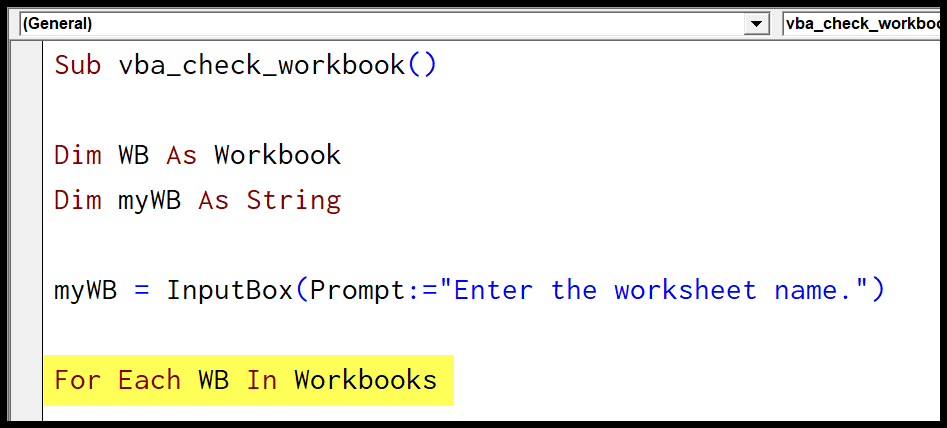
- Write code with IF STATEMENT to verify the name of the workbook with the name you have entered in the input box, and once the name matches, activates the workbook, show a message box that workbook is found, and exit the procedure.

- In the end, end the loop and use a message box to show a message box if nothing has been found.

Helpful Links: Run a Macro – Macro Recorder – Visual Basic Editor – Personal Macro Workbook
Here’s the full code.
Sub vba_check_workbook()

Dim WB As Workbook
Dim myWB As String

myWB = InputBox(Prompt:="Enter the workbook name.")

For Each WB In Workbooks
    If WB.Name = myWB Then
        WB.Activate
        MsgBox "Workbook Found!"
        Exit Sub
    End If
Next WB

MsgBox "Not Found"

End SubRelated Tutorials
- Copy an Excel File (Workbook) using VBA
- VBA Activate Workbook (Excel File)
- VBA Close Workbook (Excel File)
- VBA Combine Workbooks (Excel Files)
- VBA Create New Workbook (Excel File)
- VBA Delete Workbook (Excel File)
- VBA Open Workbook (Excel File)
- VBA Protect/Unprotect Workbook (Excel File)
- VBA Rename Workbook (Excel File)
- VBA Save Workbook (Excel File)

Written by
Puneet Gogia
Microsoft MVP — Excel · Founder, Excel Champs
Twelve years of teaching Excel, and a decade before that using it as a data analyst. Every tutorial here is written from a file I actually built.