

INDIRECT turns text into a real reference, so wrapping it in SUM lets the range come from a cell instead of being written into the formula: put A2:A7 as text in B1, then =SUM(INDIRECT(B1)) totals that range, and changing B1 changes what gets summed with no formula edit.
For a range on another sheet, build the reference from two cells — the sheet name and the range — joined with an exclamation mark: =SUM(INDIRECT("'"&A1&"'!"&B1)). Keep the single quotes around the sheet name, or any sheet with a space in its name fails.
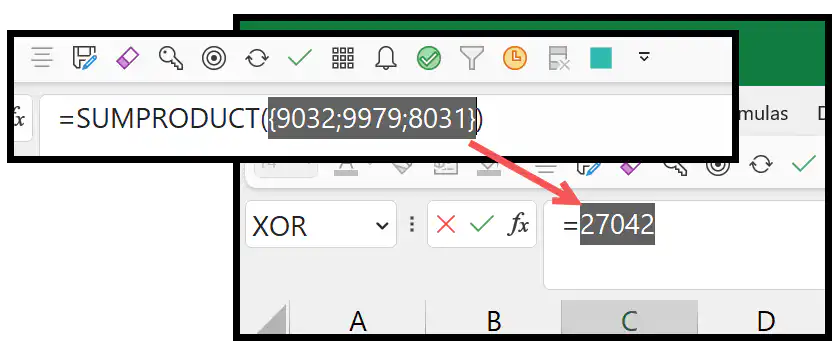
To total the same range across several sheets listed in a column, use =SUMPRODUCT(SUMIF(INDIRECT("'"&A2:A4&"'!"&B2),">0")) — INDIRECT builds one reference per sheet name, SUMIF returns a total for each, and SUMPRODUCT adds them up. Three things to know.
If a sheet name doesn’t exactly match a real tab you get #REF! with no clue which one is wrong. INDIRECT can’t read a closed workbook at all. And it’s volatile, so it recalculates on every change in the file.
When you combine INDIRECT with the SUM function, you can create a dynamic sum formula. And this formula allows you to refer to a cell where you have the range (as a text) that you want the sum for. That means you don’t need to change the reference from the formula itself again and again.

INDIRECT allows you to create a cell or range reference by entering the text into it.
Combine INDIRECT with SUM
You can use the below steps:
- First, in a cell enter the range that you want to refer to.
- After that, in a different cell enter the SUM function.
- Next, enter the INDIRECT function, and in the first argument of INDIRECT, refer to the cell with the range address.
- Now, close both functions and hit enter to get the result.
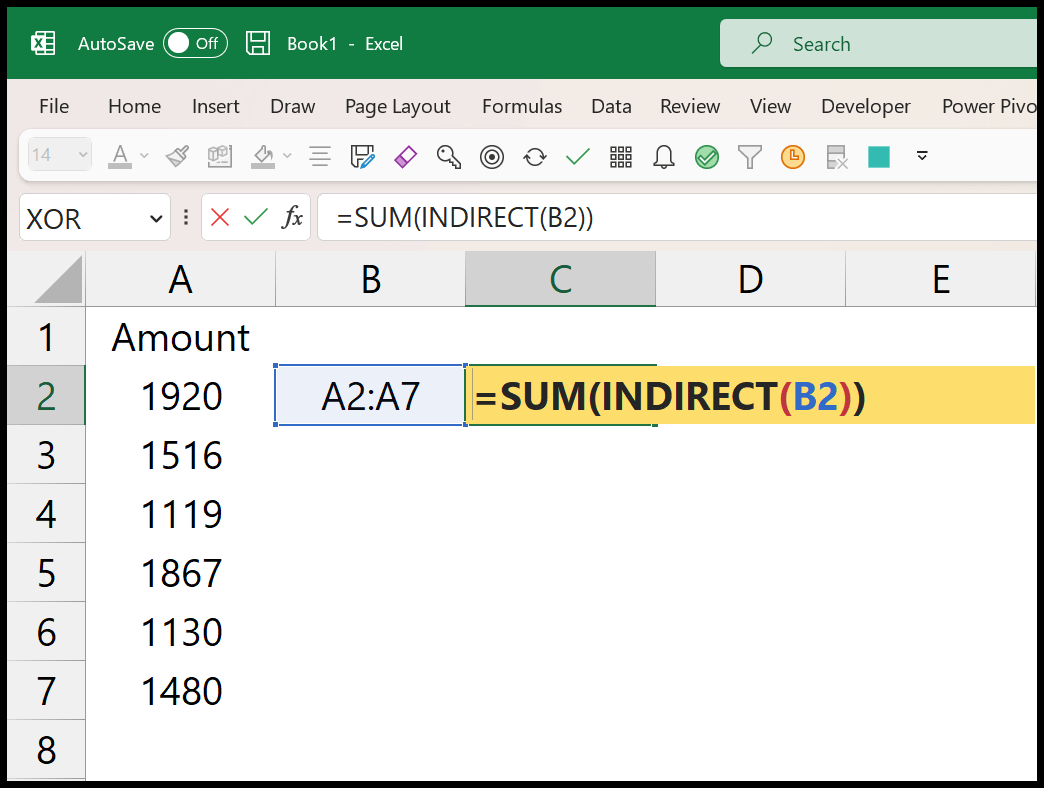
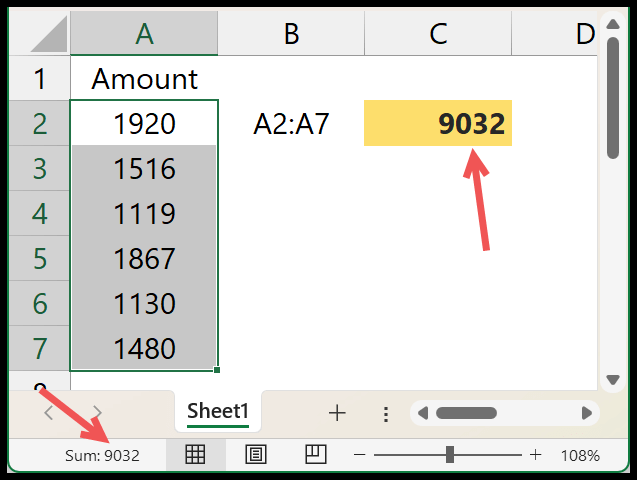
The moment you hit enter it returns the sum of the values from the range A2:A7.
Use INDIRECT to Refer to Another Sheet to SUM
Let’s say you have a range that is in a different sheet, in this case, you can also use INDIRECT and SUM.
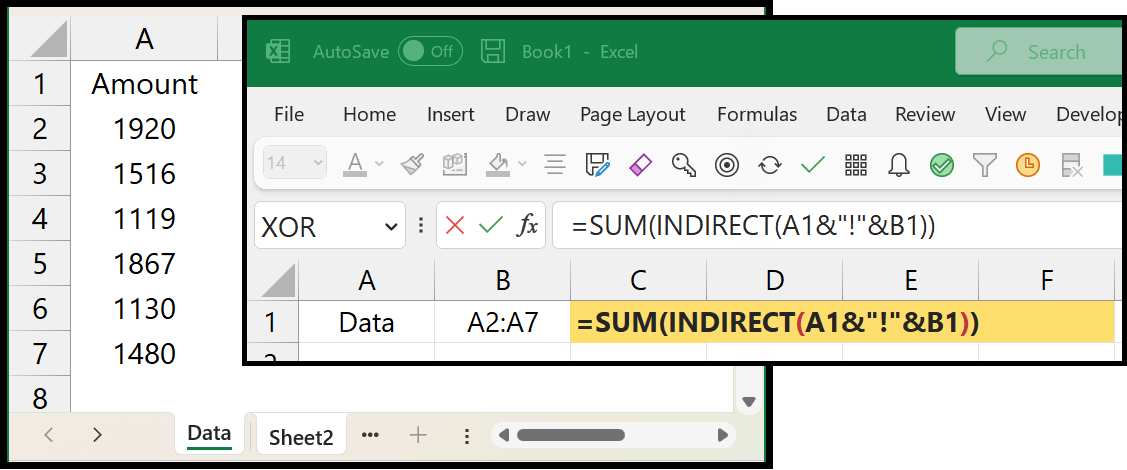
In the above example, we have entered the formula in “Sheet2” and referred to the range from the sheet “Data”. And in the formula, there are two different cells with values to refer to. In the first cell, you have the sheet’s name and in the second cell the range itself.
=SUM(INDIRECT(A1&"!"&B1))Use INDIRECT to SUM with Multiple Sheets
If you have multiple sheets and you want to sum values from a range of all those sheets, you need to use a formula like below:
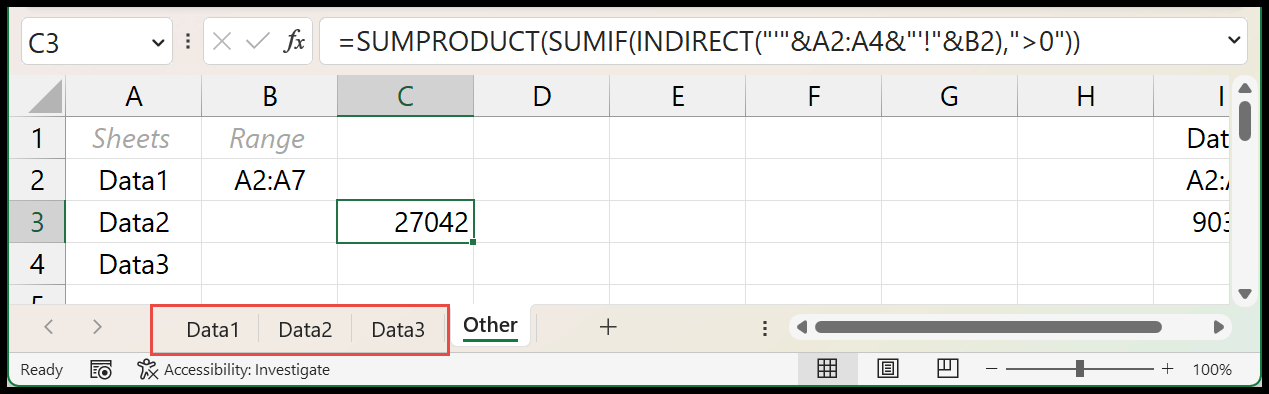
=SUMPRODUCT(SUMIF(INDIRECT("'"&A2:A4&"'!"&B2),">0"))In this formula, we have used SUMPRODUCT and SUMIF instead of SUM. In the INDIRECT, there is a reference to the name of the sheets and the range. This creates a 3D-Range for the A2:A7 range in the three sheets (Data1, Data2, and Data3).

After that, SUMIF uses that range and returns individual sums from all three ranges.
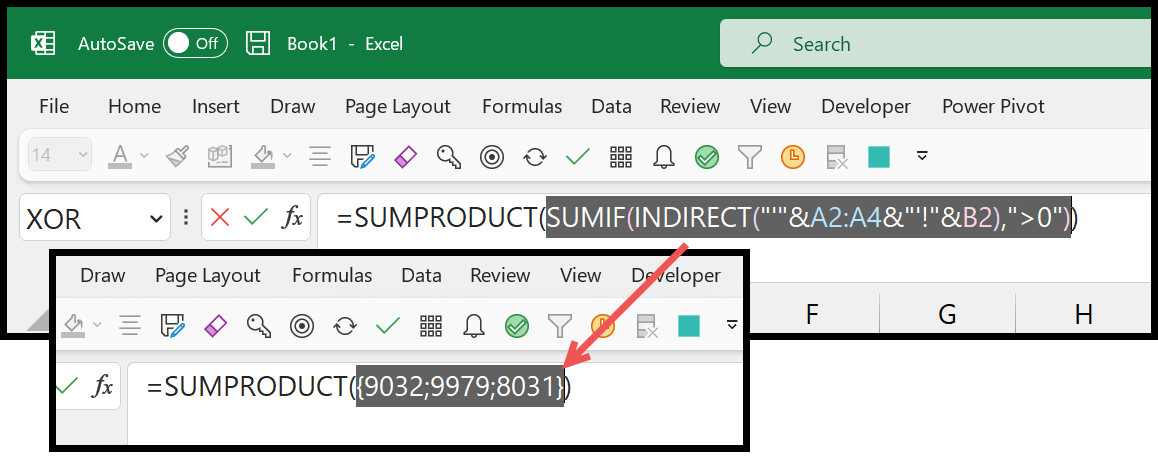
In the end, SUMPRODUCT uses those values and returns a single sum value in the cell.
You can learn more about using SUMPRODUCT IF from here and have better clarity over its usage here.
Written by
Puneet Gogia
Microsoft MVP — Excel · Founder, Excel Champs
Twelve years of teaching Excel, and a decade before that using it as a data analyst. Every tutorial here is written from a file I actually built.