

To get the date of the previous Sunday, subtract the weekday number from the date: =A1-WEEKDAY(A1,11). The 11 tells WEEKDAY to treat Monday as day 1, so a Wednesday returns 3 and subtracting 3 lands you on Sunday.
If A1 is itself a Sunday, this returns the Sunday a week earlier — use =A1-WEEKDAY(A1,11)+IF(WEEKDAY(A1,11)=7,7,0) if you’d rather it return the same day. For any other previous weekday, change the return_type: 12 gives the previous Monday, 13 Tuesday, 14 Wednesday, 15 Thursday, 16 Friday, and 17 Saturday.
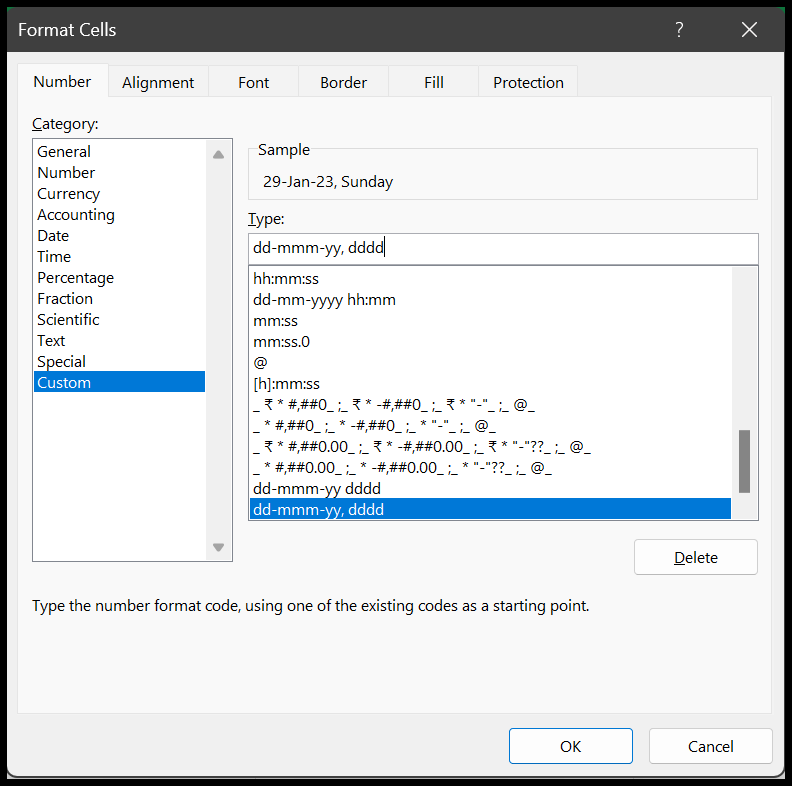
For the next occurrence instead, add seven: =A1-WEEKDAY(A1,11)+7 gives the following Sunday. And to show the day name alongside the result, don’t add it with a formula — press Ctrl+1 → Custom and enter dd-mmm-yy, dddd, which keeps the cell a real date.
If you want to get the date of the previous Sunday for a particular date in Excel, you need to write a formula using Excel’s WEEKDAY function.
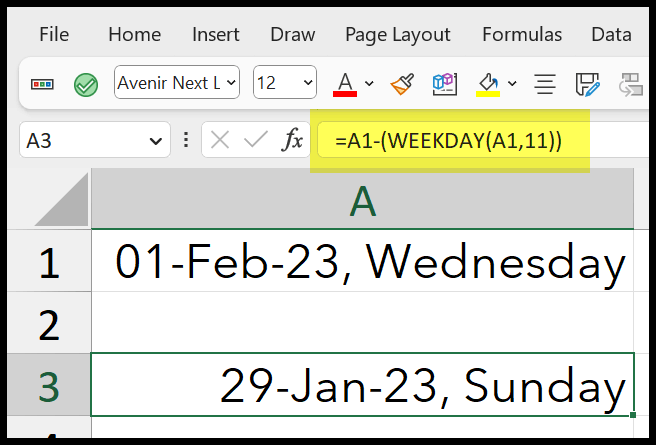
Formula to Get the Last Sunday
Below are the steps you need to follow:
- Refer to cell A1 where you have the actual date.
- Type the minus operator (-).
- Insert the WEEKDAY function; in the first argument (), refer to cell A1.
- In the second argument, enter (11) and hit enter to get the result.
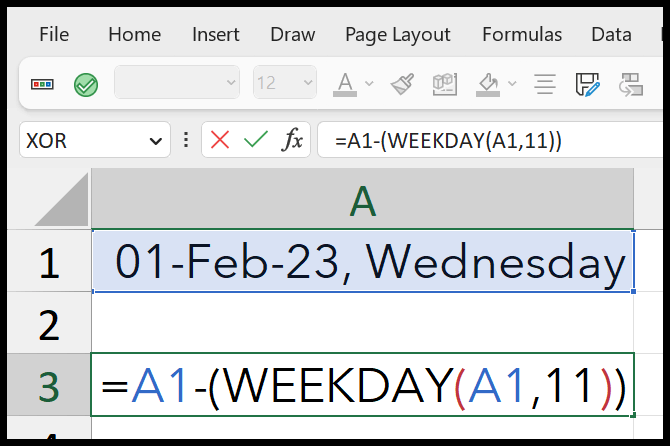
Once you hit enter, it will return the date of the last Sunday from your original date in cell A1.
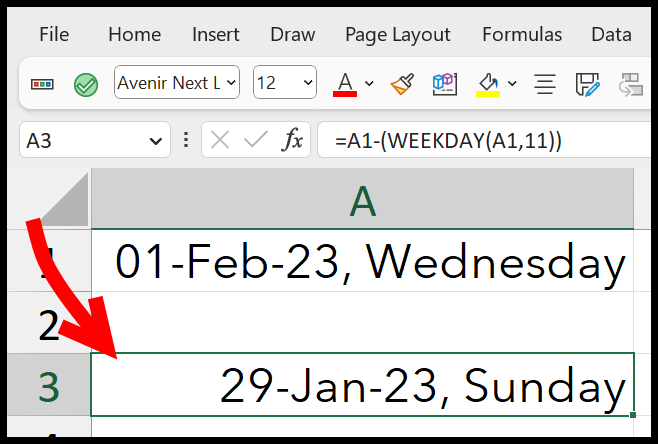
How does this Formula Work?
To understand this formula, you need to understand the WEEKDAY function first. When you refer to a date in the WEEKDAY function, it returns a number ranging from 1 to 7 according to the date’s day and the week structure you choose.
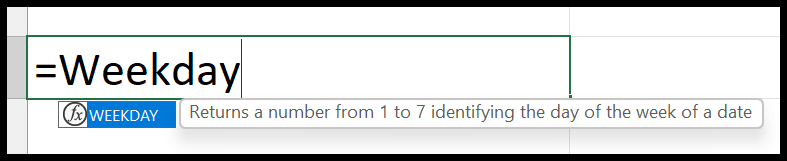
In the second argument (return_type), you need to specify a number that tells the function to consider the first day of the week. And if you select (2 or 11), it will start the week from Monday.
For Example: If the day is Wednesday and the week starts on Monday, the day number for the date will be 3. So below you can see we have got 3 in the result.
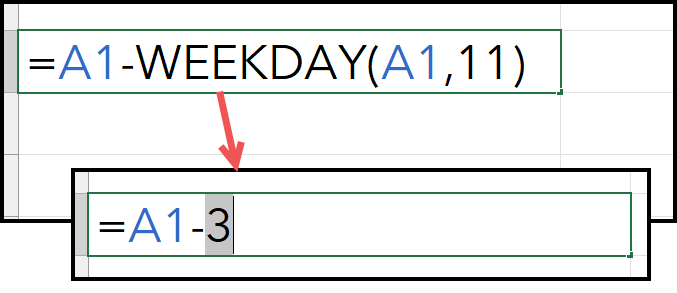
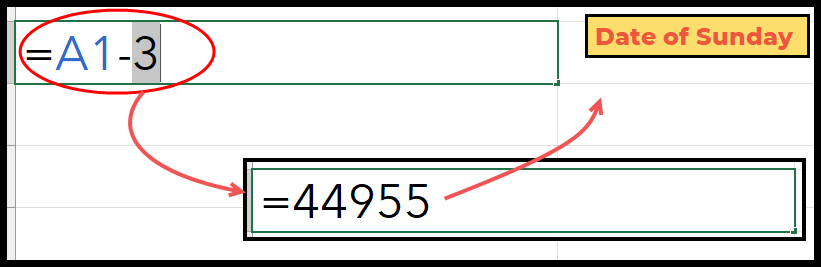
And in the end, when you have 3 from the WEEKDAY and deduct it from the original date, you get the date for the previous Sunday in the result.
Getting Other Previous Days
You can also get other previous days if you want.
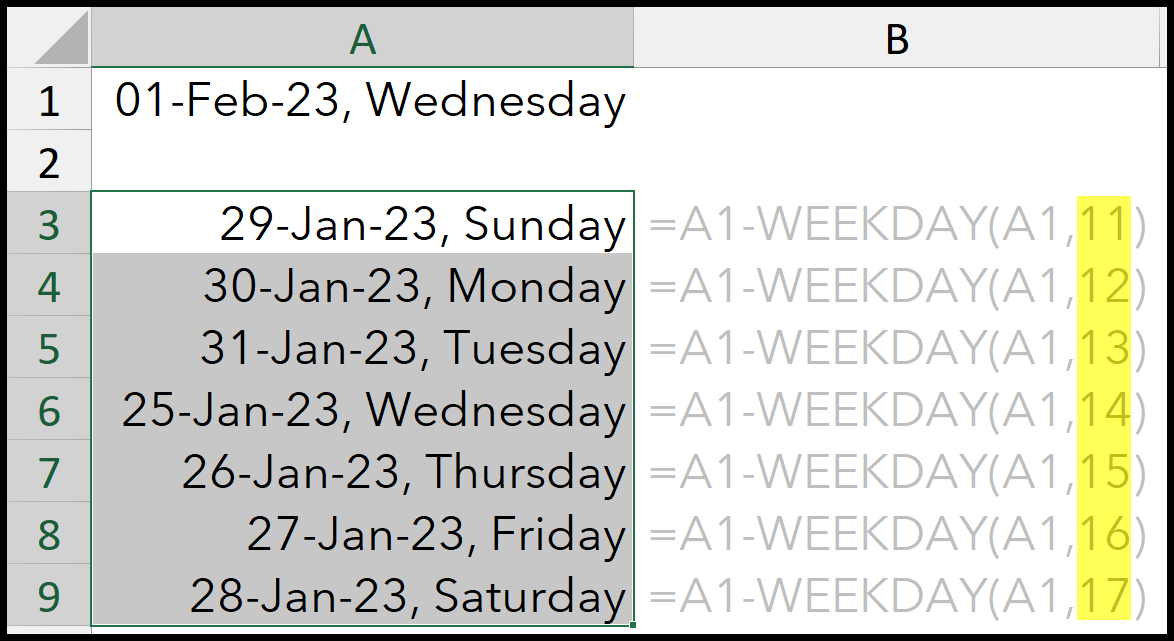
=date-WEEKDAY(date,11)
=date-WEEKDAY(date,12)
=date-WEEKDAY(date,13)
=date -WEEKDAY(date,14)
=date -WEEKDAY(date,15)
=date -WEEKDAY(date,16)
=date-WEEKDAY(date,17)
You need to adjust the [return_type] argument in the function to change the starting day of the week.
Applying Day Formatting with the Date
You won’t get the Day name in a cell when you get a date in a cell. But you can change the formatting to get it quickly.
- Select the Cell and open the format cells option (Ctrl + 1).
- Click on the Custom category and click with the (Type) input bar.
- Enter (dd-mmm-yy, dddd) in it and click OK to apply.
Second Method
You can also use CHOOSE with the WEEKDAY to get the previous Sunday.
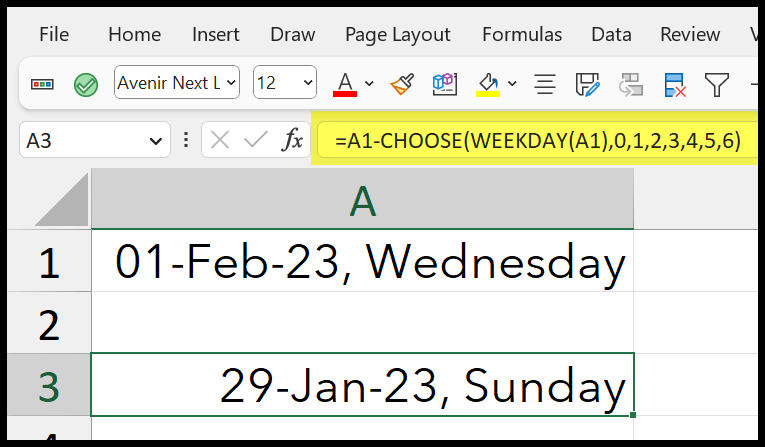
=A1-CHOOSE(WEEKDAY(A1),0,1,2,3,4,5,6)In this formula, we have used WEEKDAY without specifying the [return_type] argument, and it takes the default value for it and uses Sunday as the first day of the week.
If you have Wednesday, WEEKNUM returns 4 in the result, and CHOOSE returns 3 from the list of numbers. And then, in the end, you’ll get the Sunday’s date by deducting 3 days from the original date.
Note: Better to use the first method to get the previous Sunday or any day.
Written by
Puneet Gogia
Microsoft MVP — Excel · Founder, Excel Champs
Twelve years of teaching Excel, and a decade before that using it as a data analyst. Every tutorial here is written from a file I actually built.