

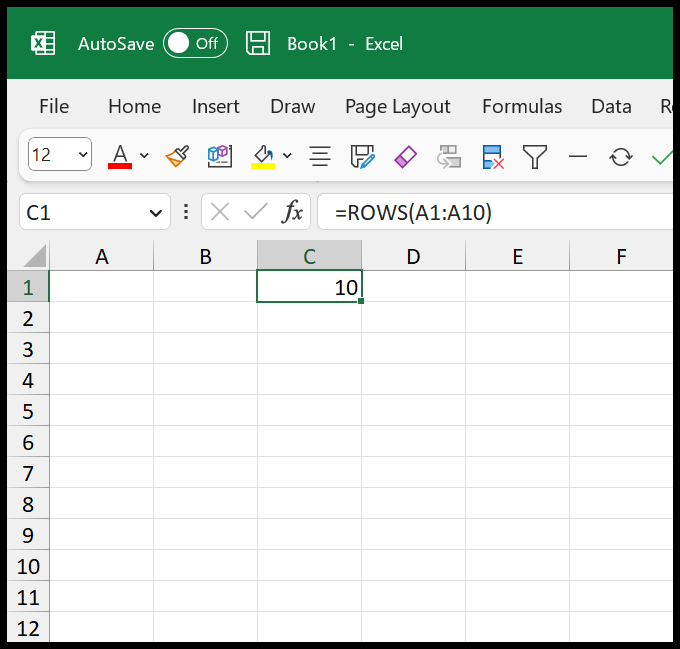
To count rows in a range regardless of content, use =ROWS(A1:A10), which returns 10 whether the cells are filled or not. To count only the rows that have something in them, use =COUNTA(A1:A10); for blank ones, =COUNTBLANK(A1:A10); and for rows holding numbers specifically, =COUNT(A1:A10).
One distinction worth making: these count cells in a single column, which is only the same as counting rows if that column is always filled.
For a table where a row counts as used when any of its cells has data, use a per-row COUNTA test, or more simply =ROWS(Table1) if the data is in an Excel Table, which always reflects the true row count.
Two no-formula options: select the column and read Count in the status bar, or press Ctrl+End to jump to the last used cell and read the row number.
There are multiple ways to count rows in Excel. But if you want to count the rows irrespective of whether data is in the cells, you can use the ROWS function.

- Enter the “ROWS” function in a cell.
- Type the starting parentheses.
- Refer to the range of the cells.
- Type the closing parentheses.
- Hit enter to get the result.
Count the Rows with the Non-Blank Cell
And if you want to count the rows for the cells with a value, you can use the count function.
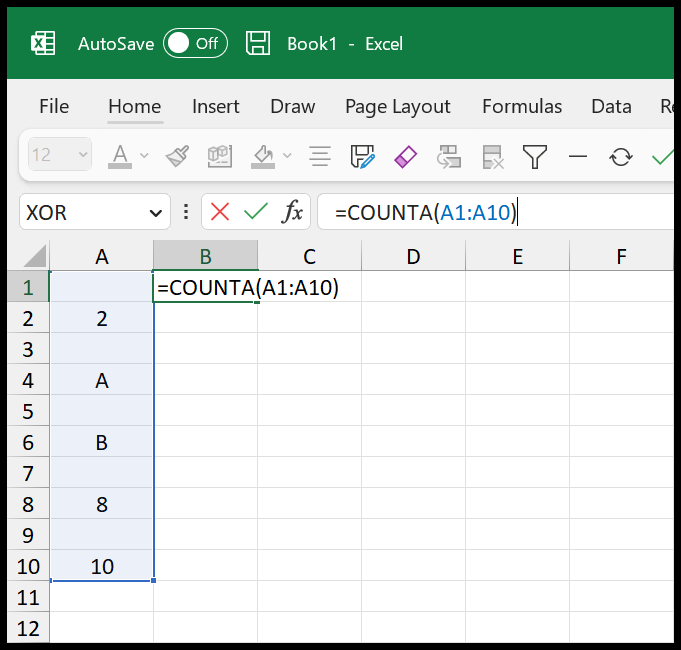
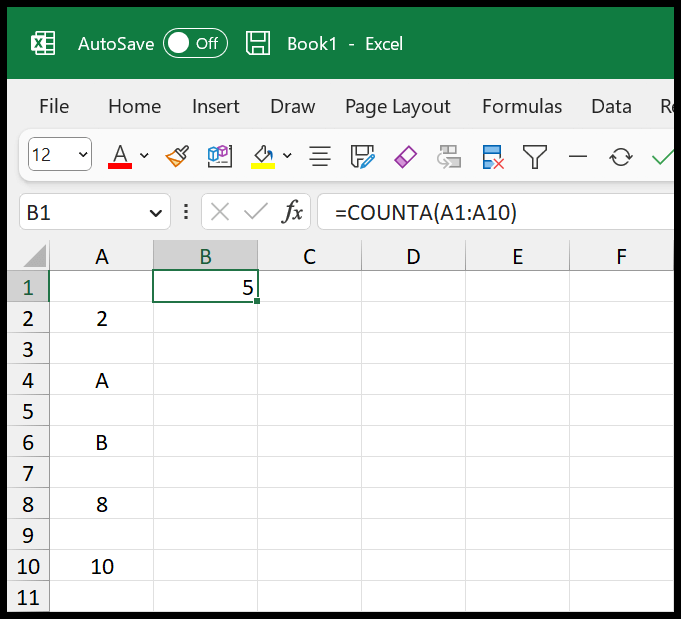
=COUNTA(A1:A10)When you hit enter after referring to the range, it returns 5, the total number of rows in the data.
Read Also – How to Count Colored Cells in Excel (Using a Formula)
[thrive_leads id=’112075′]Count Rows with Blank Cells
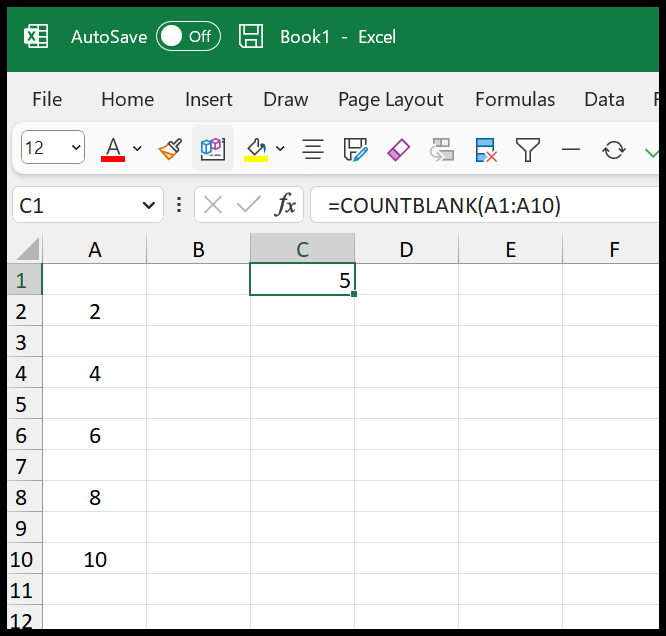
In the same way, you can also count the rows with blank cells, which are cells without data.

Once you hit enter, it returns 5, the exact number of rows with blank cells.
Count Rows with Numbers
The COUNT function needs to be used to count the rows with the numbers.
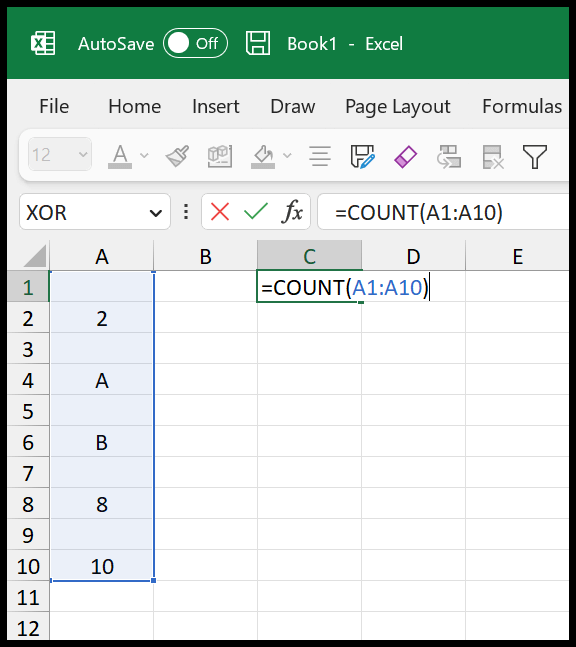
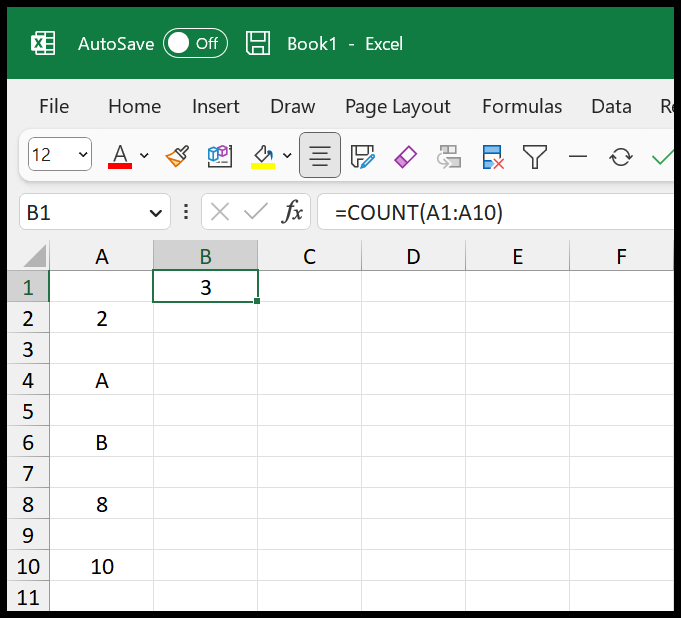
The moment you hit enter, it returns 3 in the result. So as you can see, we have 5 blank cells and 5 non-blank rows. But in the non-blank rows (with value), we have only three cells with the numbers, and that’s why the result is 3.
-
Make sure to check out this amazing list of formulas to count cells.
Written by
Puneet Gogia
Microsoft MVP — Excel · Founder, Excel Champs
Twelve years of teaching Excel, and a decade before that using it as a data analyst. Every tutorial here is written from a file I actually built.