

To create a running total, enter =SUM($B$2:B2) in the first cell of a new column and drag it down. The dollar signs lock the start of the range to B2, while the end of the range moves down with each row, so every cell adds up everything from the top to that point.
In Excel 365, you can get the whole column with one formula instead: =SCAN(0,B2:B13,LAMBDA(a,b,a+b)). And if your data is in an Excel Table, use =SUM(INDEX([Qty],1):[@Qty]) so the running total keeps working as new rows are added.
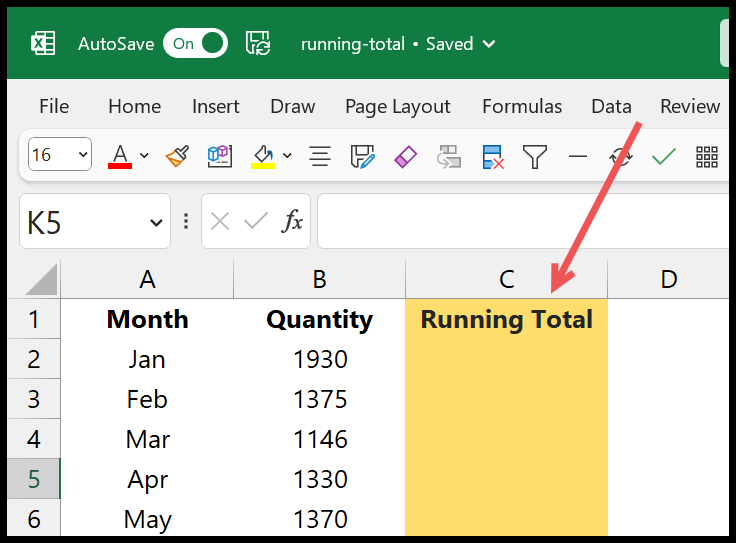
In Excel, if you want to create a running total, you must create a dedicated column. Just like we have in the below example:

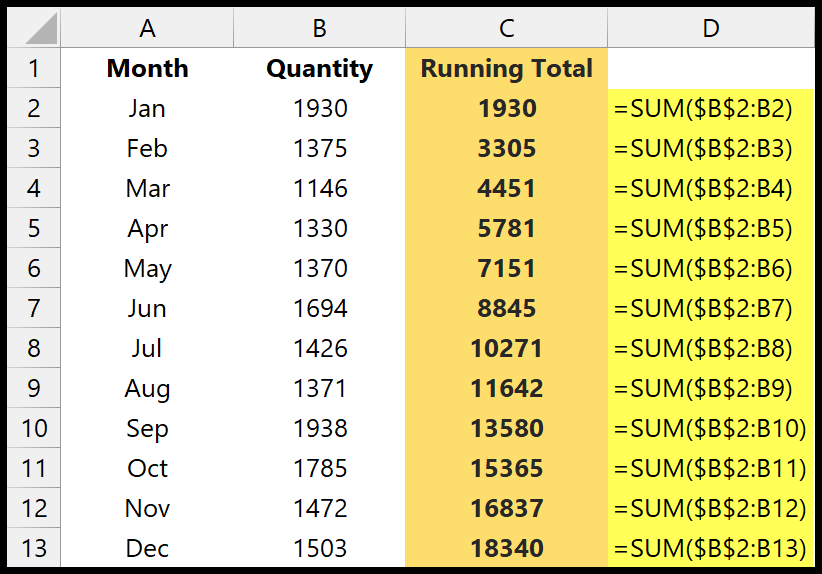
You can see in column C that we have a cumulative total for each month. So, for example, the running total for March is the sum for the Months Jan, Feb, and March.
Formula to Create a Running Total in Excel
- First, create a new column along with the quantity column.
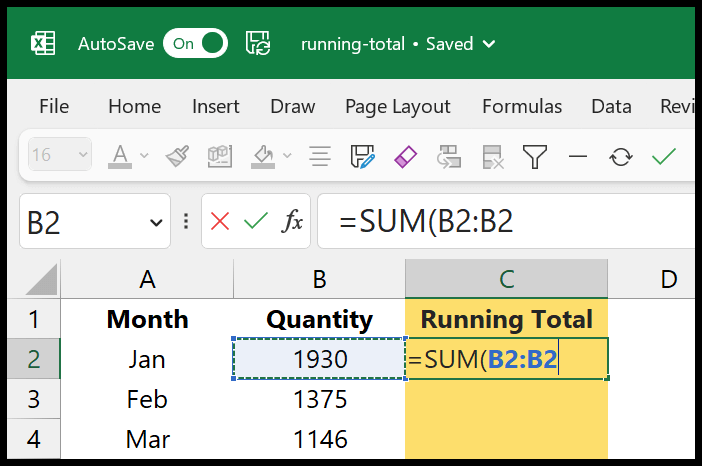
- After that, enter the sum function there and refer to the range B2:B2.
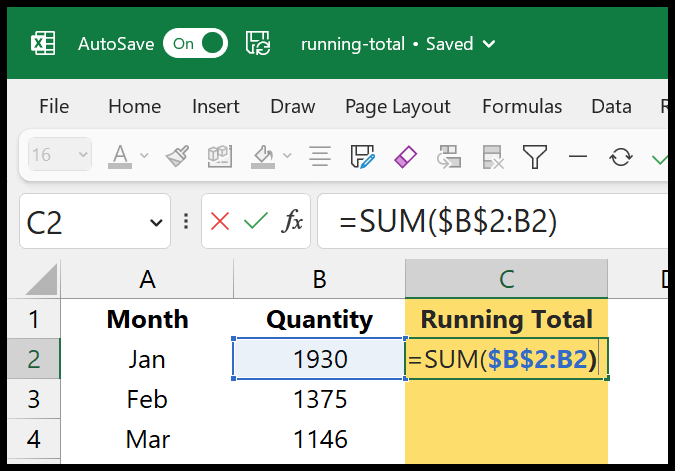
- Now, from the range reference, lock the first cell using the dollar sign.
- Next, drag the formula to the last cell in the column.
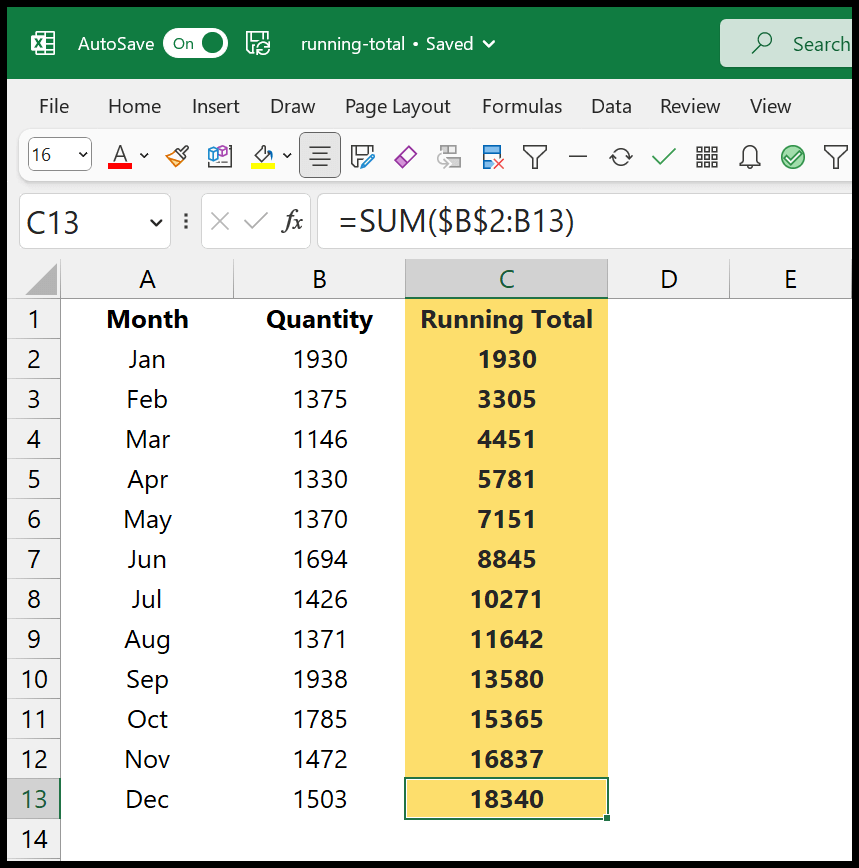
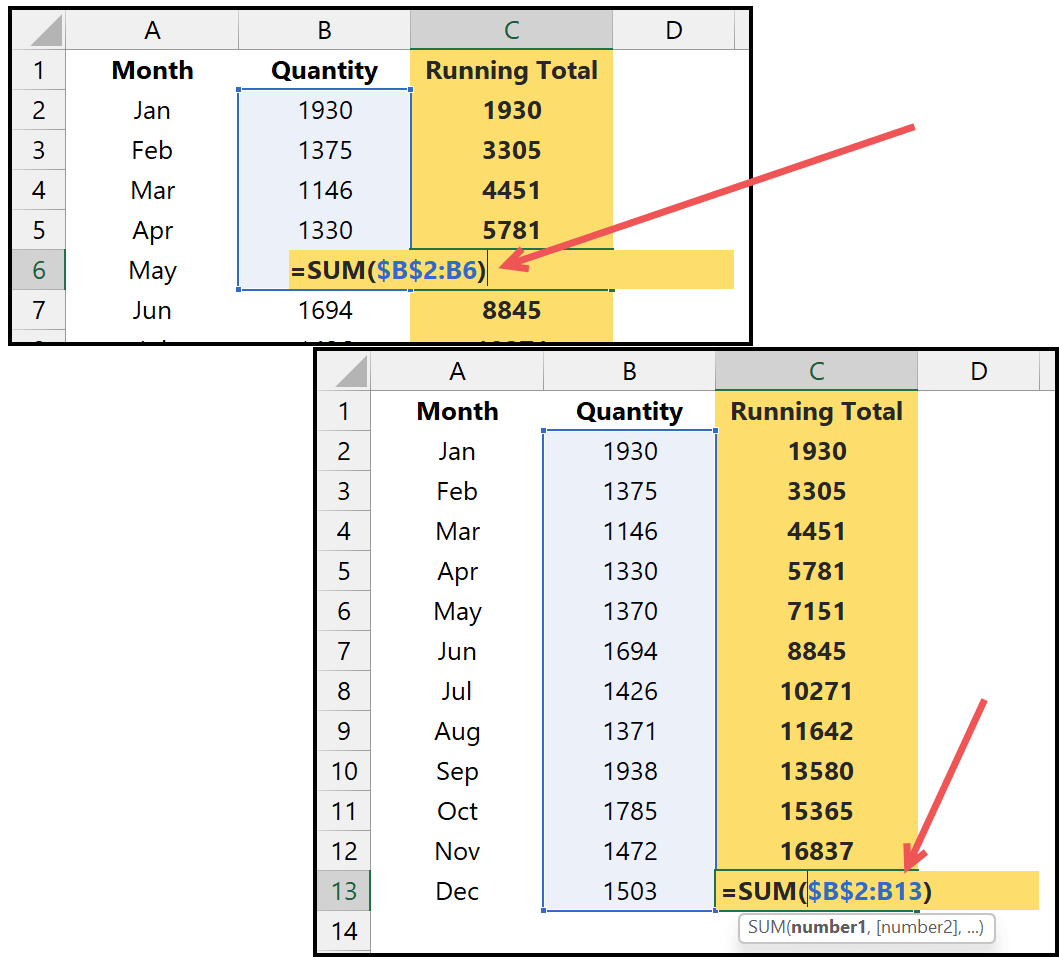
When you drag this formula, the starting cell of the referred range stays B2, and the last cell keeps moving ahead with the drag. So you can see in the May running total, the reference is for the range $B$2:B6, but with Dec, it’s $B$2:B13.
Absolute Cell Running Total
We have used a dollar sign to lock the range’s first cell, making it an absolute cell reference for cell B2. And when you drag the formula, B2 remains fixed, and the range’s lower cell keeps changing.
Written by
Puneet Gogia
Microsoft MVP — Excel · Founder, Excel Champs
Twelve years of teaching Excel, and a decade before that using it as a data analyst. Every tutorial here is written from a file I actually built.