

Dim declares a variable and its type before you use it: Dim total As Long, Dim customer As String, Dim ws As Worksheet. Inside a procedure, the variable exists only while that procedure runs.
Several variables can share one line, but each needs its own type: Dim firstRow As Long, lastRow As Long. In Dim firstRow, lastRow As Long, only lastRow is a Long; firstRow becomes a Variant.
Object variables are declared with Dim and filled with Set: Dim wb As Workbook, then Set wb = Workbooks("Sales.xlsx"). For an array, put the size in brackets: Dim months(1 To 12) As String holds 12 items, while Dim months(12) As String holds 13, numbered 0 to 12. Empty brackets, as in Dim items() As String, declare a dynamic array that you size later with ReDim.
Put Option Explicit at the top of each module so every variable has to be declared. A misspelt name then stops the code with “Variable not defined” instead of quietly creating a new, empty variable. At the top of a module, outside any procedure, use Private or Public instead of Dim to make the scope clear.
What is the VBA DIM Statement?
The VBA DIM statement (short for “dimension”) is the statement that you use when you need to declare a variable. When you use it, it tells VBA that you are declaring a specific name as a variable and assigning a specific data type to it. It can be used to declare the following:
- Basic Variables
- Variants
- Objects
- Arrays
Use DIM Statement in VBA
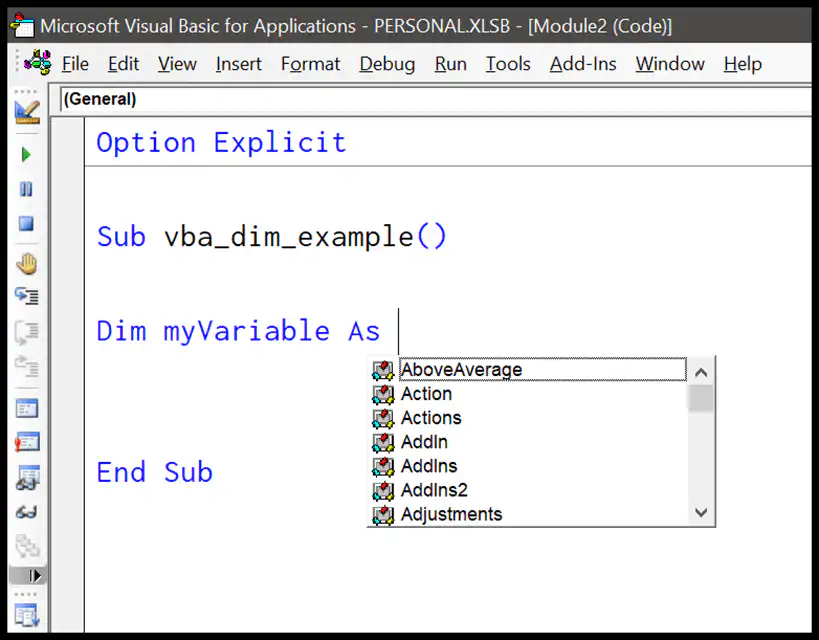
- First of all, type the keyword
Dimto declare a variable. - After that, enter the name of the variable that you want to use. In our example, we are using the name
myVariable. - Next, you need to use the word “As”, and you’ll get an instant list of data types.
- In the end, choose the data type that you want to assign to the variable.
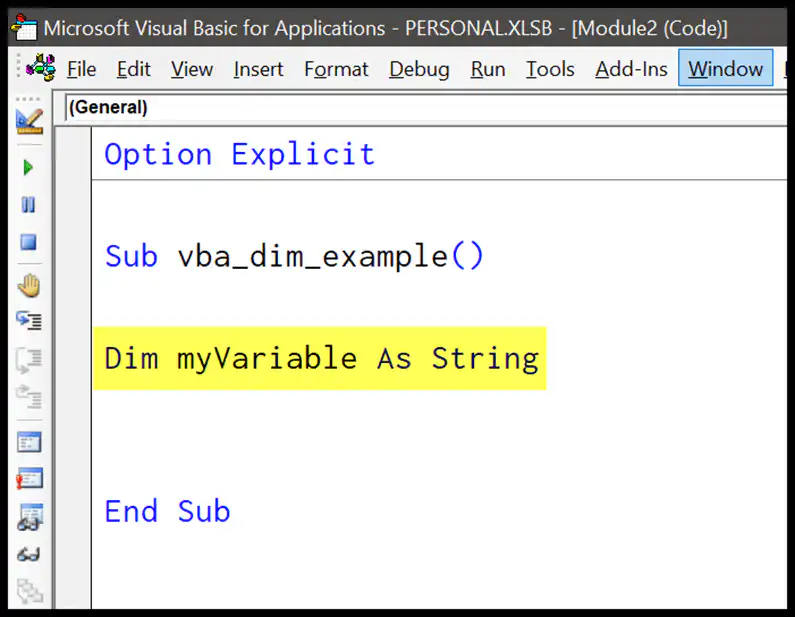
As I said, when you declare a variable, you need to assign a data type to it. See the following snapshot.
Declaring Multiple Variables with One Dim Statement
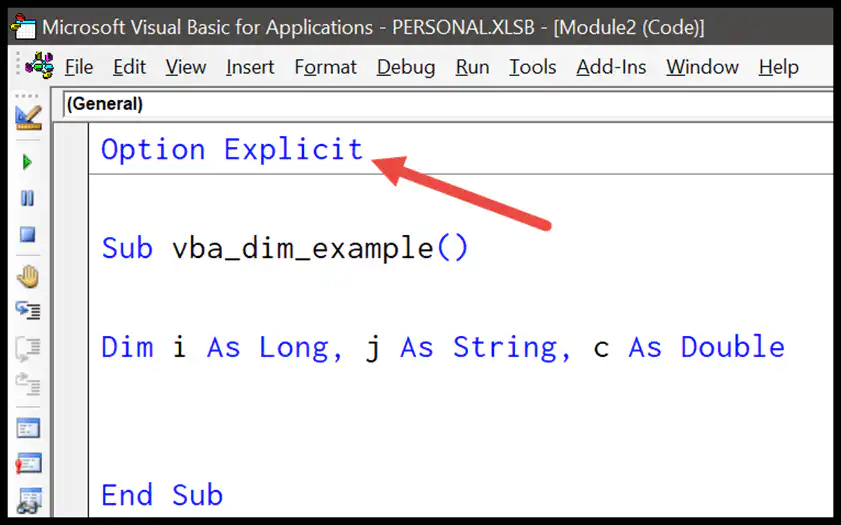
When you need to declare more than one variable, you can do that by using the Dim statement a single time. Consider the following example.
But there’s one thing you need to be careful about: each variable needs its own data type. In the line below, only b is a Long, and a becomes a Variant, as it has no data type of its own:
Dim a, b As Long              ' a is a Variant, b is a Long
Dim c As Long, d As Long      ' both are Long

Using Option Explicit
It is highly recommended to declare all the variables, which makes your code perform better and increases its efficiency as well. But if you skip declaring a variable and then use it in a code, VBA will take that variable as a Variant.
The best way to never miss declaring a variable is to use the Option Explicit statement, which forces you to declare every variable and shows an error every time you miss one.
To add Option Explicit to every new module automatically, go to Tools > Options in the Visual Basic Editor and tick Require Variable Declaration. It only applies to modules you insert after that, so add the statement yourself to the modules you already have.
Dim Statement with Arrays
You need to use the DIM statement when you need to declare an array as well. Consider the following example.

In the above example, you have two arrays that have been declared with the Dim statement.
In the first array, you have three items, and in the second, there’s no item declared. Here’s the point: when you need to declare an array, you need to use parentheses to declare items of the array and blank parentheses if you want a dynamic array.
Use DIM with Excel Objects
You can also refer to an object using the DIM statement. Let’s say you want to count the sheets in a workbook; you can declare it as an object and count the worksheets from it.
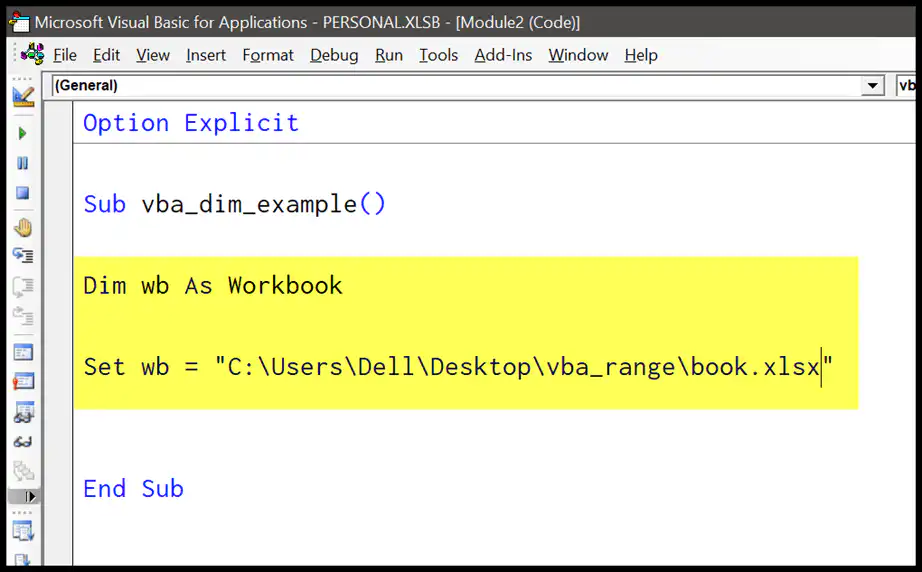
In the above example, you have declared wb as a workbook and then set the workbook “book1” to use it further in the code.
When you assign an object to an object variable, you need to use the Set keyword, as you can see with the workbook above. You can also use the New keyword with Dim to create a new object at the same time, like a Collection:
Sub NewCollection()
    Dim myList As New Collection
    myList.Add "Apple"
    myList.Add "Mango"
    MsgBox myList.Count
End Sub
Where to Put the Dim Statement?
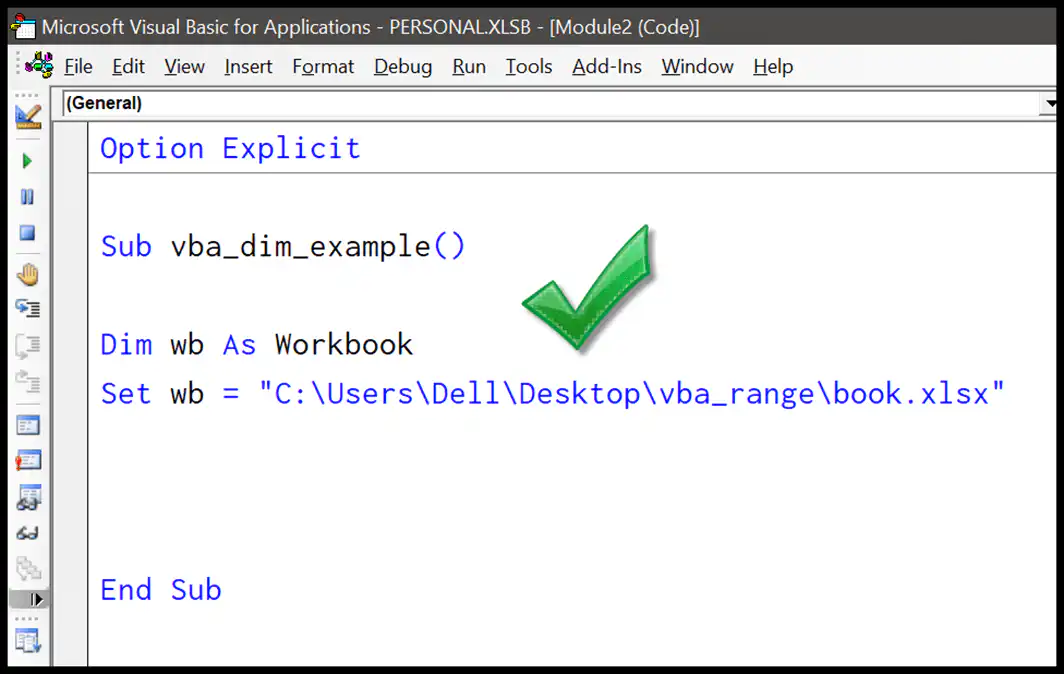
You can declare a variable using the DIM statement anywhere within the code, but make sure to declare it before you use it. So, let’s say you are referring to a variable in line 2 of the code and you have used the Dim in line 3 to declare it; well, you are going to get an error.
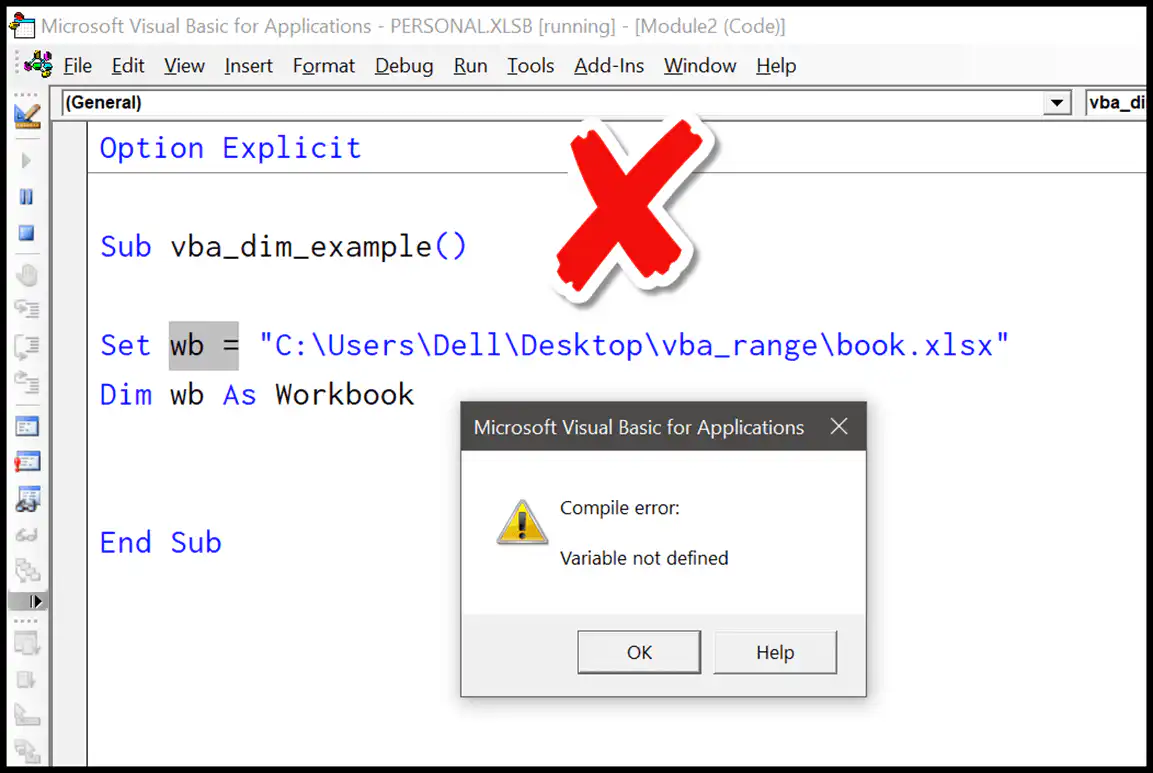
So, make sure to declare a variable before you want to use it.
Dim vs Private, Public and Static
Dim isn’t the only statement to declare a variable. Where you declare it and which statement you use decide where you can use the variable (its scope) and how long it keeps its value:
- Dim inside a procedure: The variable works only in that procedure and loses its value when the procedure ends.
- Dim or Private at the top of a module: All the procedures in that module can use the variable.
- Public at the top of a module: All the procedures in all the modules of the project can use it.
- Static inside a procedure: Works only in that procedure, but keeps its value between runs until you close the file or reset the code.
In the code below, the Static variable counts how many times you have run the macro:
Sub CountRuns()
    Static runCount As Long
    runCount = runCount + 1
    MsgBox "You have run this macro " & runCount & " times."
End Sub
Declare and Assign a Value in One Line
VBA doesn’t let you assign a value in the Dim statement itself. But you can use a colon to write the declaration and the assignment on the same line:
Dim taxRate As Double: taxRate = 0.18
Frequently Asked Questions
What does Dim stand for in VBA?
Dim is short for “dimension”. In early versions of BASIC, it was used to set the dimensions (size) of an array, and now it’s used to declare all kinds of variables.
What happens if I don’t declare a variable?
Without Option Explicit, VBA creates the variable for you as a Variant the first time you use it. The code still runs, but a typo in a variable name quietly creates a new empty variable, which can give you wrong results that are hard to find.
Can I use Dim to declare a constant?
No. For a value that never changes, use the Const statement, like Const vatRate As Double = 0.2. A constant must get its value in the same line where you declare it.

Written by
Puneet Gogia
Microsoft MVP — Excel · Founder, Excel Champs
Twelve years of teaching Excel, and a decade before that using it as a data analyst. Every tutorial here is written from a file I actually built.