

Dim fruits As Variant followed by fruits = Array("Apple", "Banana", "Cherry") creates an array of three strings in one line. For a fixed list of known size, declare a typed array and fill it: Dim regions(1 To 4) As String, then regions(1) = "East" and so on.
To break text into an array, use Split: parts = Split("East,West,North", ",") gives three elements. To turn an array back into one string, use Join: Join(parts, " | ") returns “East | West | North”.
Split always returns an array that starts at 0, so the first item is parts(0) and the last is parts(UBound(parts)). Array also starts at 0 unless the module has Option Base 1. Loop with For i = LBound(parts) To UBound(parts) so the code works either way.
Splitting on a single space breaks at every space, so double spaces create empty elements. Clean the text first with Application.Trim, which also collapses spaces in the middle.
In VBA, you can create an array with strings where each element of the array stores one string that you can further access or even combine into one string. Apart from this, you can also split the main string into multiple sub-strings (using a delimiter) and then store each of them in the array’s elements.
As I said above, there are two ways to use strings in an array, and in this tutorial, we will see how to write code for both.
VBA Array with Strings
Option Base 1
Sub vba_string_array()

Dim myArray() As Variant
myArray = Array("One", "Two", "Three")

Debug.Print myArray(1)
Debug.Print myArray(2)
Debug.Print myArray(3)

End Sub- First, declare an array without the element count that you want to store in there.
- Next, you need to use VBA’s ARRAY function to define the value that you want to specify.
- After that, specify all the strings using a comma in the function.
- In the end, you can access all the strings using the element number.
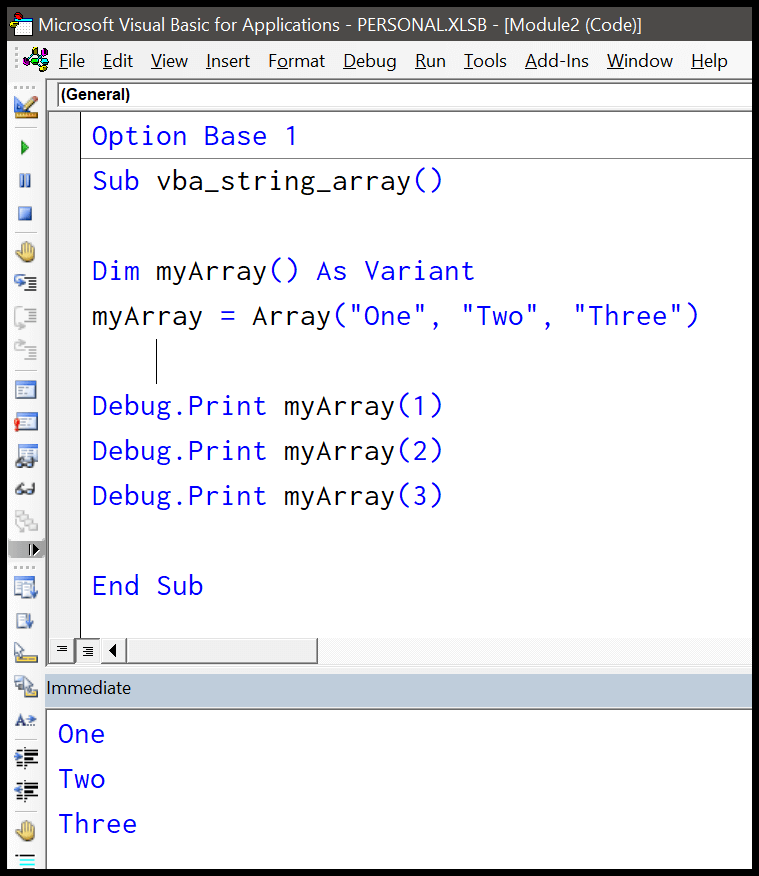
In the same way, you can also get a string from the cells to store in the array.

VBA Split String and Store in an Array
If you want a string that has multiple substrings you can split it using the VBA’s SPLIT function which uses a delimiter.
Option Base 1
Sub vba_string_array()

Dim myArray() As String
myArray = Split("Today is a good day", " ")
For i = LBound(myArray) To UBound(myArray)
    Debug.Print myArray(i)
Next i

End Sub
In this code, you have a string which is a sentence that has five words. And when you use the split function it splits it into five different substrings, and then you have stored it in the elements of the array.
After that, you have the for loop which uses the upper and lower bound for the counter to loop and prints each element of the array into the immediate window.
More on VBA Arrays

Written by
Puneet Gogia
Microsoft MVP — Excel · Founder, Excel Champs
Twelve years of teaching Excel, and a decade before that using it as a data analyst. Every tutorial here is written from a file I actually built.