Use Excel like it’s 2026, not 2016
Go beyond VLOOKUP and IF. Time to move to XLOOKUP, FILTER, LET, LAMBDA, BYROW, SCAN, GROUPBY to build dynamic formulas.
Master 45+ modern Excel functions

Super Powers YOU are going to have
With these new functions, there are superpowers that you are going to have in no time.
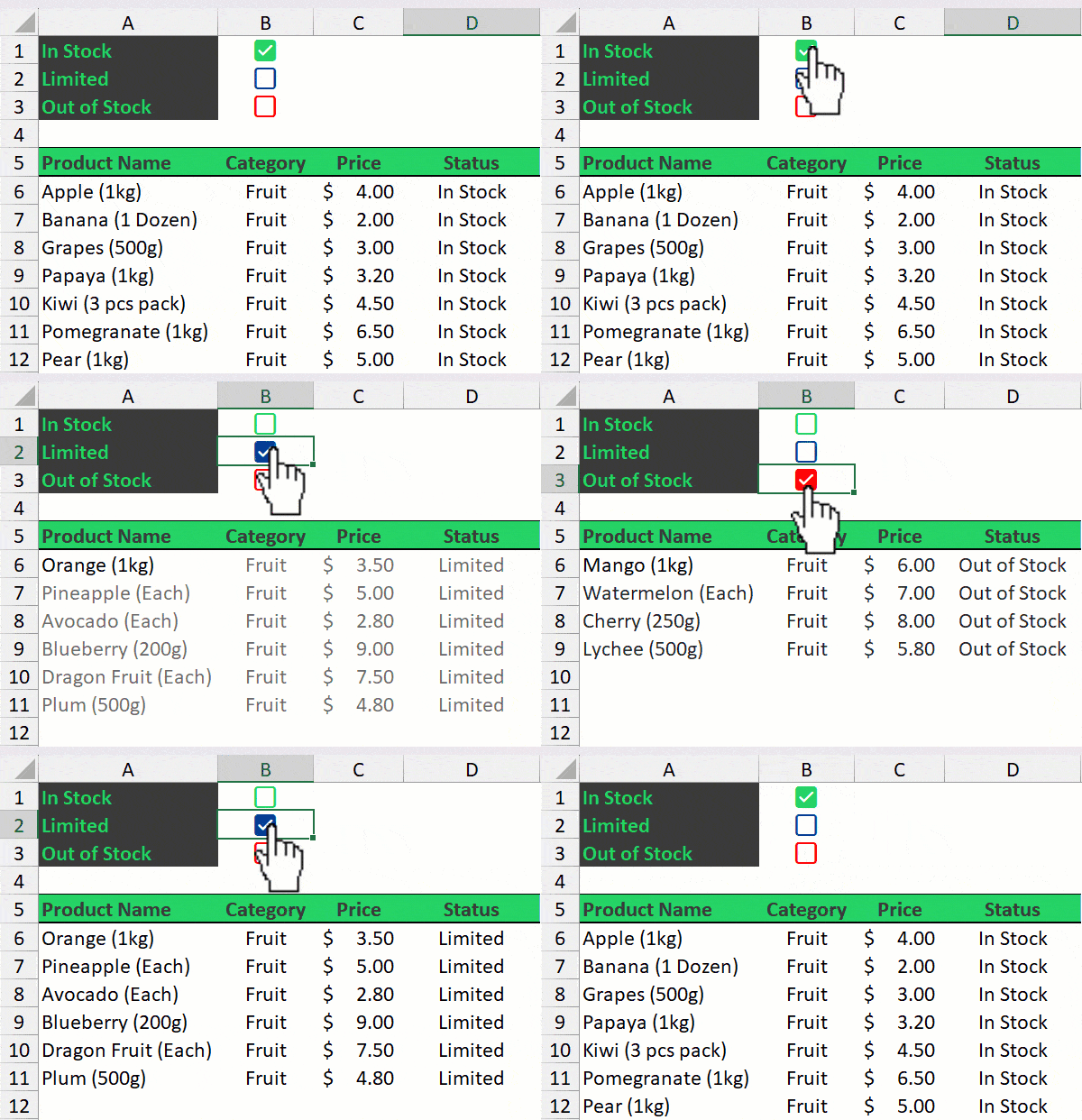
Create REPORTS quickly
With the functions like, FILTER, PIVOTBY, and GROUPBY in the new stack of functions allow you create data summaries and filter data like a pro, and also you to be data ready always.
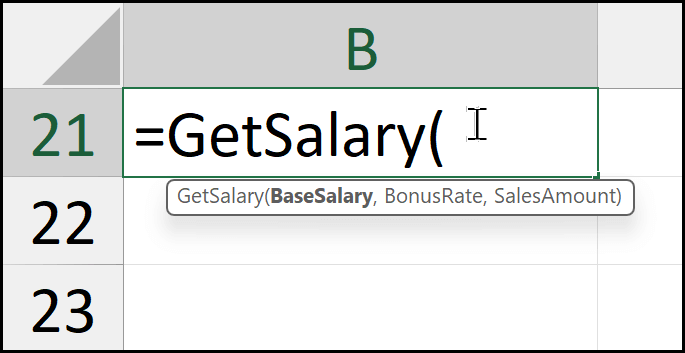
Create Custom Functions (NO CODE)
The new COPILOT function is something that can help you to do with impossible in Excel. When other functions fail, this function can change the game.
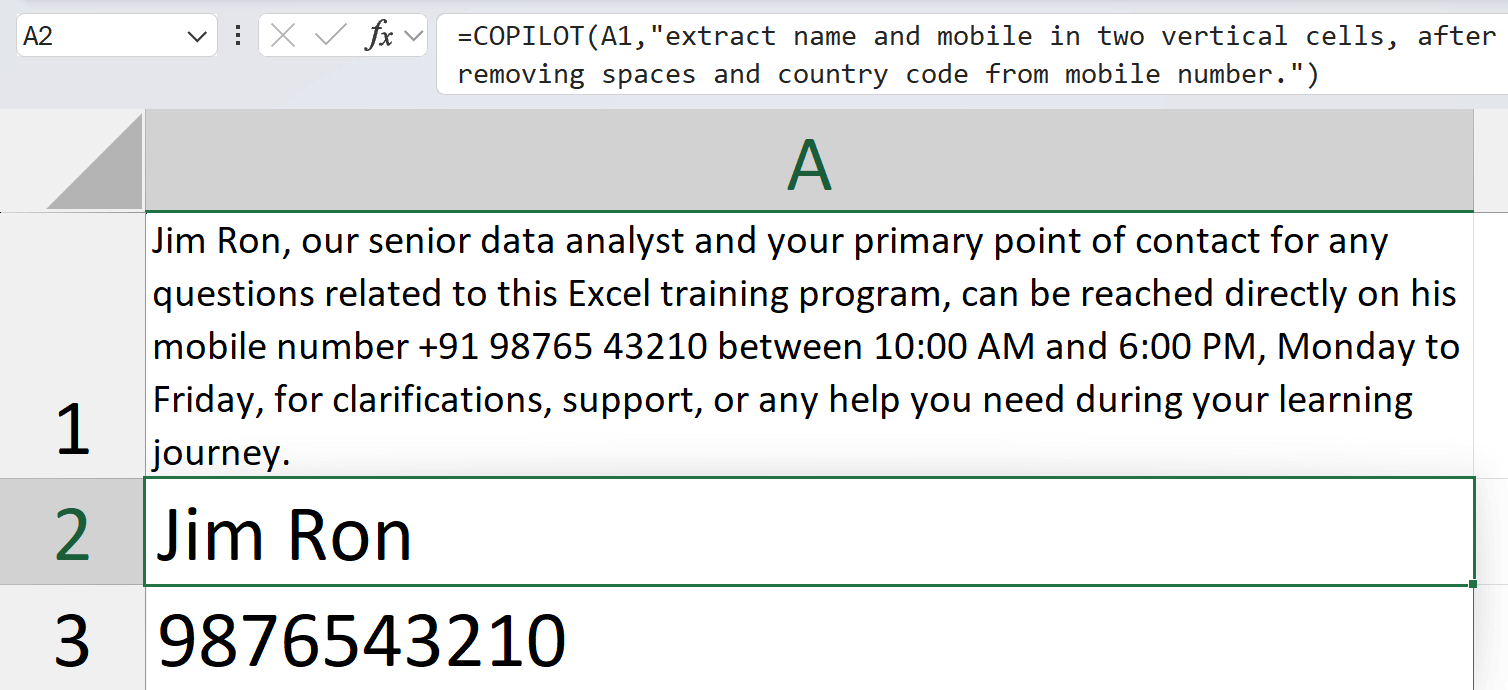
NO-Barriers with New AI Function
The new COPILOT function is something that can help you to do with impossible in Excel. When other functions fail, this function can change the game.
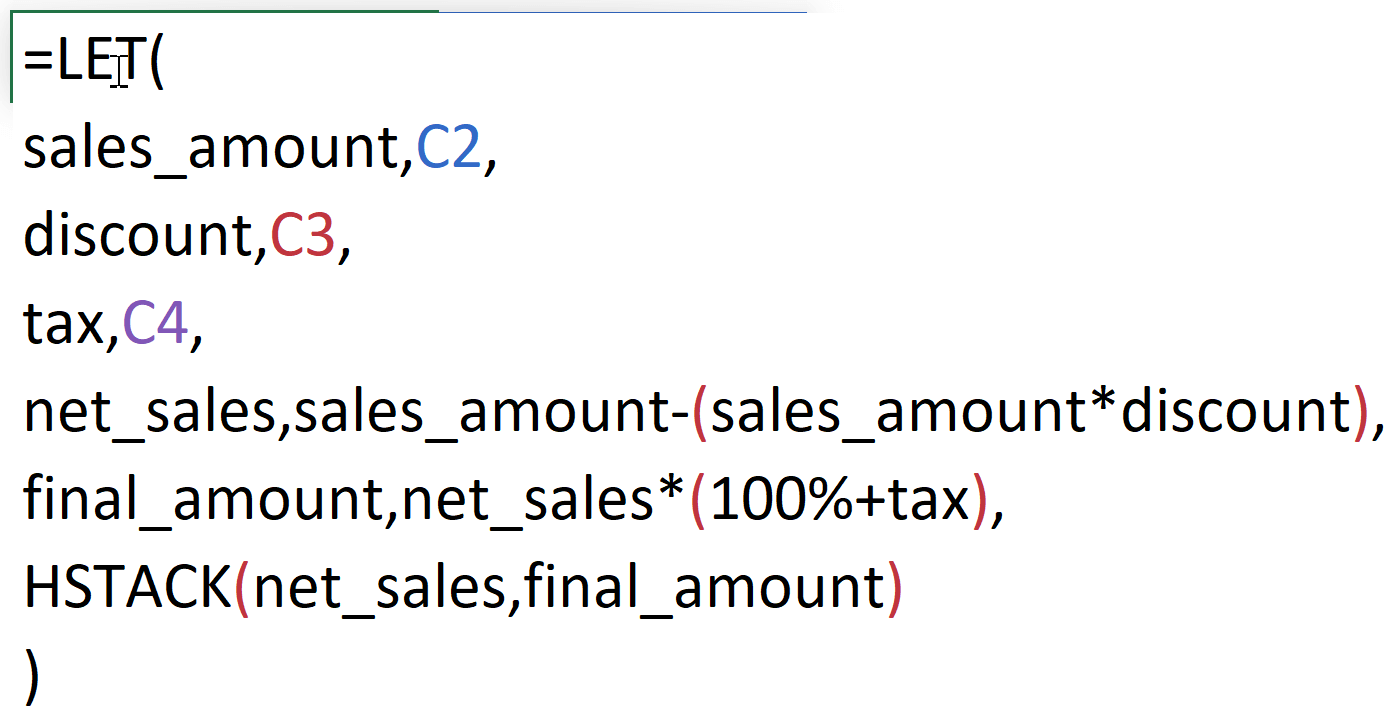
Write Formulas Like PROs
The new COPILOT function is something that can help you to do with impossible in Excel. When other functions fail, this function can change the game.
What's Inside The Course?
With these new functions there super powers that you are going to have in no time, like:
Getting Started with Functions – 
In this module, you’ll learn the core foundation of how Excel really works: calculation order (BODMAS/PEDMAS), operators, data types, storing dates, TRUE/FALSE logic, and volatile functions.
You’ll also see how to view arrays inside formulas, work with 3D references, and use simple tricks (like jumping back to the active cell) that make complex formulas easier to understand and control.
Dynamic Array Formulas – 
In this module, you’ll understand how Dynamic Array formulas work behind the scenes, including spill ranges, spill errors, range references, and spill operators. You’ll also learn powerful concepts like lifting, pairwise lifting, broadcasting, array-of-arrays, and how to combine functions effectively to build faster, cleaner, and fully automated formulas.
Instant Number Generator – 
In this module, you’ll learn how to generate random values and structured number sequences using RANDARRAY, RANDBETWEEN, and SEQUENCE. These functions will help you build sample data instantly, automate testing scenarios, and create dynamic numeric patterns without manual input.
Text Transformation, Like a Pro – 
In this module, you’ll learn how to clean, split, combine, and reorganize messy text using new Excel functions like TEXTAFTER, TEXTBEFORE, TEXTJOIN, and TEXTSPLIT. You’ll also see practical tricks to remove duplicate values from a single cell, handle multiple delimiters, and accurately count names from inconsistent lists.
New Way of Sorting & Filter Data – 
In this module, you’ll learn how to filter, sort, and extract meaningful insights from large datasets using the FILTER, SORT, SORTBY, and UNIQUE functions. From top-N analysis to case-sensitive searches, partial text filtering, checkbox-based filtering, and advanced lookup scenarios, you’ll master how to turn raw lists into clear, actionable data.
Advanced Way of MAX & MIN – 
In this module, you’ll learn how to replace long, nested IF formulas with cleaner, easier-to-read logic using IFS and SWITCH. You’ll see how to handle multiple conditions, map values to categories, and build flexible decision-making formulas that are simple to update later.
No-Pain Data Re-Shape – 
In this module, you’ll learn how to reshape and reorganize your data using dynamic functions like CHOOSECOLS, CHOOSEROWS, DROP, TAKE, TOCOL, TOROW, VSTACK, HSTACK, WRAPCOLS, and WRAPROWS. You’ll be able to quickly convert between rows and columns, stack or unstack tables, expand ranges, and prepare your data in the perfect layout for reports and dashboards.
Writing Conditions, New Way – 
In this module, you’ll learn how to replace long, nested IF formulas with cleaner, easier-to-read logic using IFS and SWITCH. You’ll see how to handle multiple conditions, map values to categories, and build flexible decision-making formulas that are simple to update later.
Create Variables within Formulas – 
In this module, you’ll learn how to use the LET function to create variables inside your formulas and reuse them without repeating the same logic. This helps you write shorter, faster, and easier-to-read formulas, especially when working with long or complex calculations.
LAMBDA & LOOP (Custom Functions) –  ️
️
In this module, you’ll learn how to replace long, nested IF formulas with cleaner, easier-to-read logic using IFS and SWITCH. You’ll see how to handle multiple conditions, map values to categories, and build flexible decision-making formulas that are simple to update later.
LOOKUP Like a PRO - 
In this module, you’ll learn how to replace long, nested IF formulas with cleaner, easier-to-read logic using IFS and SWITCH. You’ll see how to handle multiple conditions, map values to categories, and build flexible decision-making formulas that are simple to update later.
Quickly Create Data Summaries – 
In this module, you’ll learn how to replace long, nested IF formulas with cleaner, easier-to-read logic using IFS and SWITCH. You’ll see how to handle multiple conditions, map values to categories, and build flexible decision-making formulas that are simple to update later.
Web Service Functions – 
In this module, you’ll learn how to replace long, nested IF formulas with cleaner, easier-to-read logic using IFS and SWITCH. You’ll see how to handle multiple conditions, map values to categories, and build flexible decision-making formulas that are simple to update later.
The New AI Function – 
In this module, you’ll learn how to replace long, nested IF formulas with cleaner, easier-to-read logic using IFS and SWITCH. You’ll see how to handle multiple conditions, map values to categories, and build flexible decision-making formulas that are simple to update later.
Other Functions – 
In this module, you’ll learn how to replace long, nested IF formulas with cleaner, easier-to-read logic using IFS and SWITCH. You’ll see how to handle multiple conditions, map values to categories, and build flexible decision-making formulas that are simple to update later.
$250 Worth of Exclusive Bonuses
Course: ChatGPT Meets Excel. E-Books: 100 VBA Code, 50+ Custom Functions, & 80+ Keyboard Shortcut
You missed out!
WORLD HAS CHANGED

I got my first job just because I knew how to use VLOOKUP, and for almost two years it helped me create all kinds of reports. But now things have changed, we’re working with much more complex data than before.
Even though VLOOKUP is still a very useful function to learn, the world has changed. We now have many new Excel functions that let you handle complex calculations much more easily.
Hi, my name is Puneet, and I’m a Microsoft MVP. Since 2015, I’ve been helping professionals learn smarter, faster, and better ways to use Excel in the real world.
I started ExcelChamps.com to teach people which I have learned in the years. Since then, I have helped 3 million people with my blog and videos to get better at Excel.
Let's Get Started...
With these new functions there super powers that you are going to have in no time, like:
45+ NEW AGE FUNCTIONS
$199 >
$129
"You are one of my instructors. You make things clearer then other" ~ Stanley Runyon
Frequently Asked Questions
The course is recorded on a PC with Excel for Microsoft 365, but you can use Microsoft 365 Excel online for FREE with almost all the features shown in the course.
This course is designed for someone who already knows how to use basic functions in Excel, such as SUM, IF, SUMIFS, VLOOKUP, etc.
Each lesson has its own comments section, so you can drop your questions right where they make sense. You’ll also be able to see what other curious minds have asked, and the answers, so you’re basically learning from the whole class, not just the lesson.
All my courses come with a 30-day, 100% money-back guarantee. No risk, no drama. If you’re not happy, whether it’s the content, the voice, or the fact that Excel still scares you a little, just email me within 30 days and I’ll refund you. No forms. No awkward questions. No hard feelings.